11
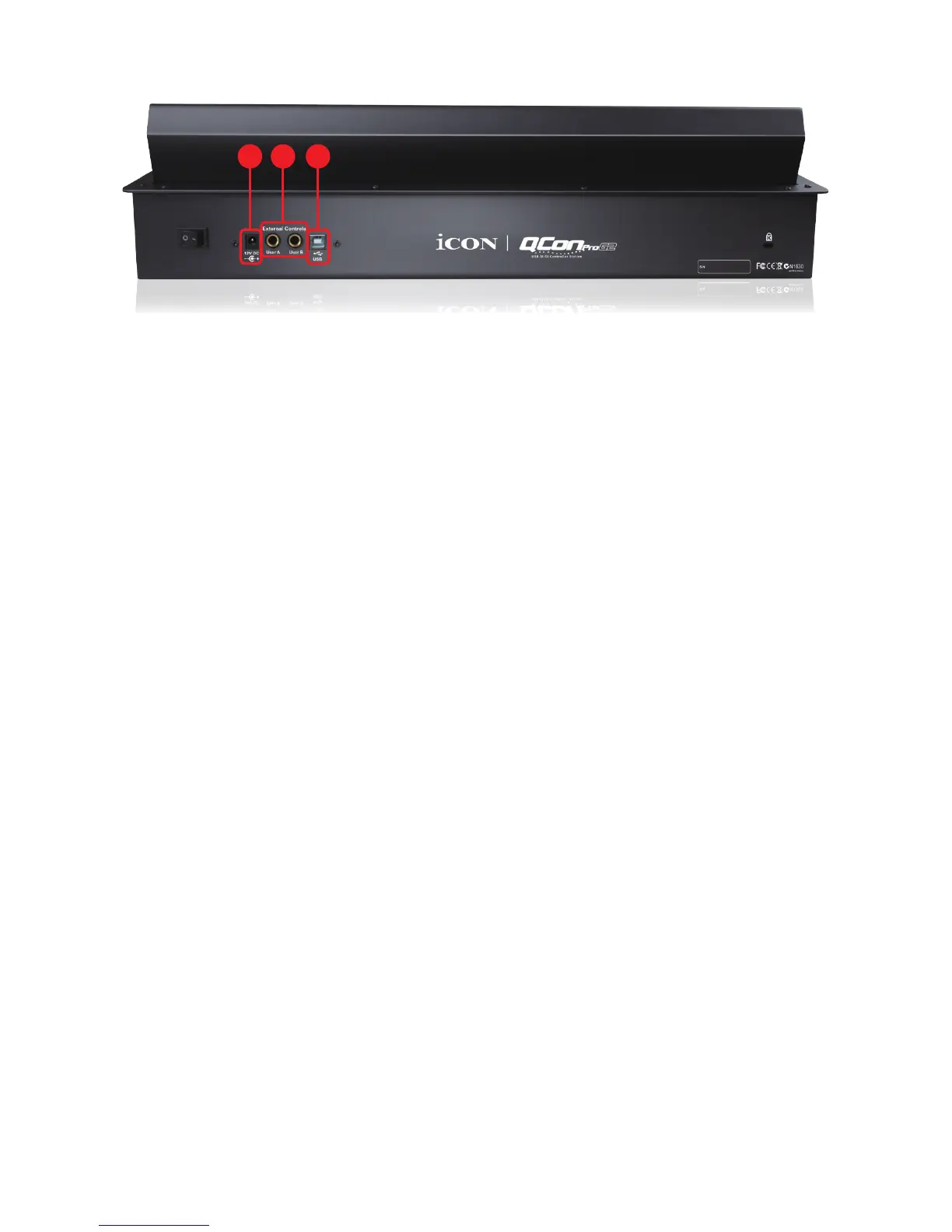
Rear Panel Layout
1
3 2
1. User A / User B 1/4” TRS connectors
These 1/4” TRS connectors are able to connect to foot pedals (SPD-01) to
activate your selected functions. To set their parameters, select USER A and
USER B parameters in Mackie control mode.
2. USB port
Connect your QconPro G2 to your Mac/PC via this USB port.
3. 12V/2.5A power adapter
Connect the provided power adapter here.
(
Note:
QconPro G2 is not able to work without the provided power adapter
connected. The USB bus power is not able to provide sufcient power supply for
QconPro G2.)



 To Next Page