EasyManua.ls Logo

ICON Platform M+ - User Manual

ICON Platform M+
52 pages
Print Icon
To Next Page IconTo Next Page
Loading...
User manual
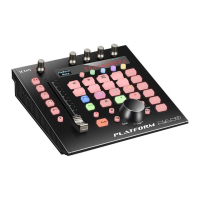
MIDI/Audio control surface with motorized faders
Question and Answer IconNeed help?

Do you have a question about the ICON Platform M+ and is the answer not in the manual?

Summary

Introduction and Safety

Important Safety Instructions

Essential guidelines for safe operation and to prevent damage to the unit.

Hardware Overview

Control Surface Layout

Detailed description of the top panel controls and their functions.

Rear Panel Connections

Explains the ports and connectors on the rear of the device.

Digital Audio Workstation (DAW) Integration

iMap Software Operations

iMap Software Installation

Guide for installing the iMap software on Mac and Windows.

Assigning DAW Control Mode

Setting up Mackie Control or HUI protocol for DAW integration.

Configuring User Defined MIDI

Customizing MIDI messages for specific control elements.

Maintenance and Support

Firmware Upgrade Procedure

Instructions for updating the device's firmware.

Summary

Introduction and Safety

Important Safety Instructions

Essential guidelines for safe operation and to prevent damage to the unit.

Hardware Overview

Control Surface Layout

Detailed description of the top panel controls and their functions.

Rear Panel Connections

Explains the ports and connectors on the rear of the device.

Digital Audio Workstation (DAW) Integration

iMap Software Operations

iMap Software Installation

Guide for installing the iMap software on Mac and Windows.

Assigning DAW Control Mode

Setting up Mackie Control or HUI protocol for DAW integration.

Configuring User Defined MIDI

Customizing MIDI messages for specific control elements.

Maintenance and Support

Firmware Upgrade Procedure

Instructions for updating the device's firmware.

ICON Platform M+ Specifications

General IconGeneral
USB portYes
USB version2.0
Apple dockingNo
USB connector typeUSB Type-B
USB ports quantity1
Cable lock slot typeKensington
Power supply typeAC
Built-in display-
Product colorBlack
Bundled softwareiMap
Mac operating systems supportedMac OS X 10.10 Yosemite, Mac OS X 10.4 Tiger, Mac OS X 10.5 Leopard, Mac OS X 10.8 Mountain Lion, Mac OS X 10.9 Mavericks
Windows operating systems supportedWindows 10, Windows 7, Windows 8, Windows Vista, Windows XP Home, Windows XP Home x64, Windows XP Professional, Windows XP Professional x64

Related product manuals