[Exit]: exit the AUTO OFF interface;
1 minute: automatic shutdown after 1 minute without operations or moving;
2 minutes: automatic shutdown after 2 minutes without operations or moving;
3 minutes: automatic shutdown after 3 minutes without operations or moving;
5 minutes: automatic shutdown after 5 minutes without operations or moving;
8 minutes: automatic shutdown after 8 minutes without operations or moving;
10 minutes: automatic shutdown after 10 minutes without operations or moving.
Short press / to select [Exit],
1 minute, 2 minutes, 3 minutes, 5 minutes, 8 minutes, 10 minutes, choose [Exit] and briey
press M to return to the SET interface.
Choose 1 minute, 2 minutes, 3 minutes, 5 minutes, 8 minutes, 10 minutes, save the settings
and go back to the SET interface.
At the end of the setting, on the driving interface, when the speed is 0 and no operation on
the display, the time reaches the setting, the display turns off automatically. The display can
only be turned on by pressing the button .
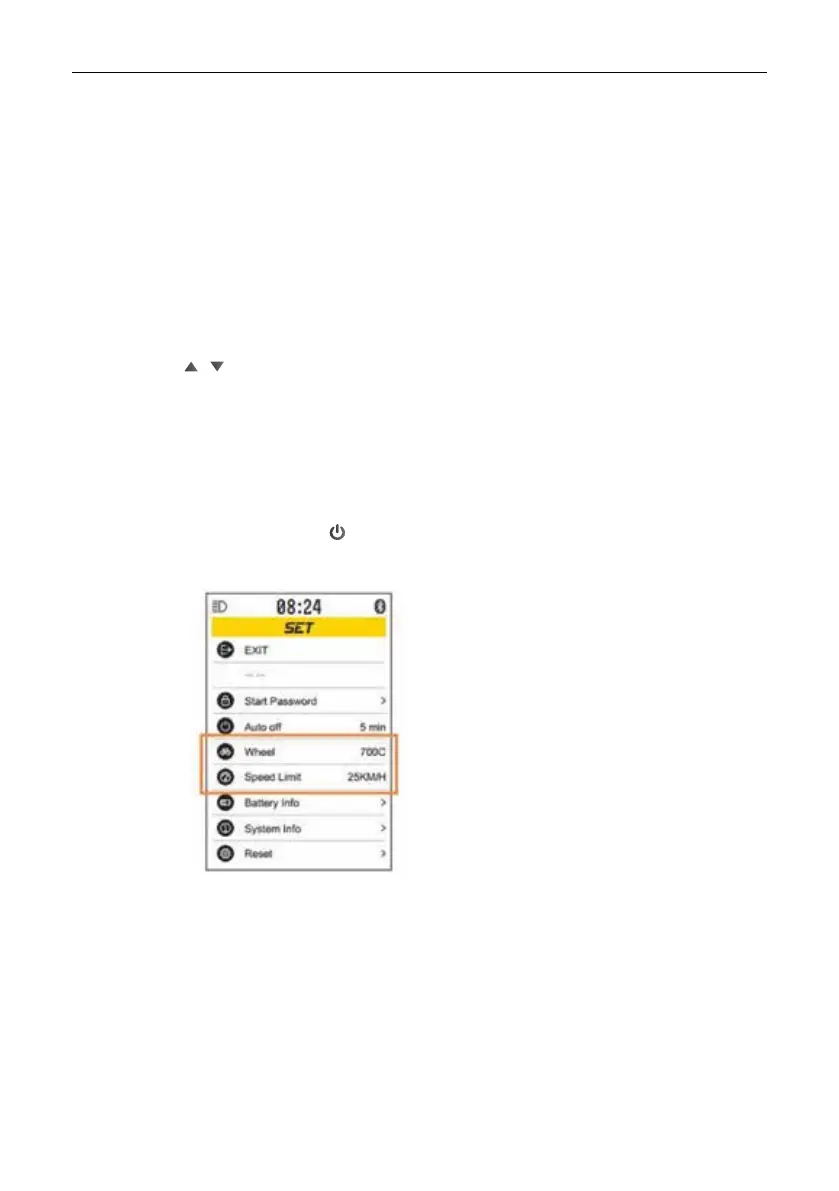
Setting the automatic switch-off time
Interface shown as below:
Information on wheel
diameter and speed
limitation can only be
viewed without setting


 To Next Page
 Loading...