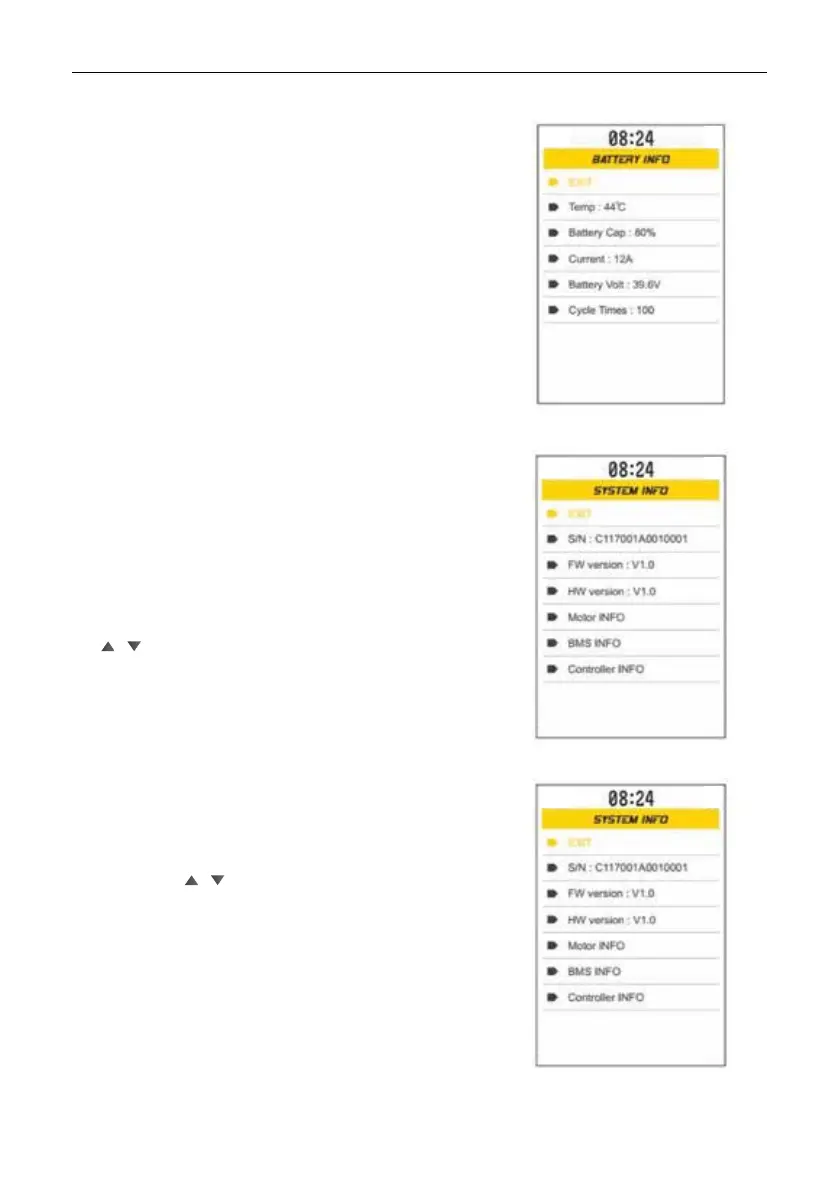
[Exit]: exit the BATTERY INFO interface;
Temp: Battery temperature;
Battery cap: Battery capacity;
Current: Current;
Battery Volt: Battery voltage;
Cycle times: Battery charging time;
Briey press M to return to the user
setting interface.
S / N: Serial number of the device;
FW version: Version number of the rmware
Version HW: version number of the hardware
Motor INFO: (need support from the controller)
INFO BMS: (controller support required)
INFO Controller: (controller support required) Short
press
/ to select [Exit], then short press M to return to the
user settings interface.
[Exit]: exit the RESET interface;
Yes: restore factory settings;
Short press / to select
[Exit], Yes, select Yes then briey press M
to returnto the factory settings and return
to the user settings interface.
Choose [Exit] and short press M
to return to the SET interface.
Battery information
Review of system information
Restore


 To Next Page