Need help?
Do you have a question about the iControl iCamera 1000 and is the answer not in the manual?
Lists all items included in the camera package for user verification.
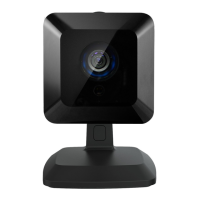
Details the main technical specifications and components of the iCamera unit.
Explains the meaning of the front-mounted LED status lights.
Lists necessary items and network conditions before starting installation.
Step-by-step instructions for physically installing the camera.
Provides comprehensive technical parameters like dimensions, temperature, and interface.
Details the specific pin configuration for the RJ45 connector and power.
Explains the camera's automatic day/night switching capability.
Outlines compliance with FCC rules for digital devices and potential interference.
Details the FCC limits for RF radiation exposure during operation.
Mentions CE approval and potential radio interference in domestic use.
 General
| Two-Way Audio | Yes |
|---|---|
| Motion Detection | Yes |
| Resolution | 720p HD |
| Night Vision | Yes |
| Storage | Cloud Storage (Subscription Required) |
| Connectivity | Wi-Fi |
| Power Source | Power Adapter |

 To Next Page