Need help?
Do you have a question about the iControl iCamera2 and is the answer not in the manual?
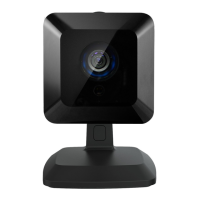
Details the iCamera2's integrated microcomputer, CMOS sensor, and high-quality streaming capabilities.
Specifies the hardware and software requirements for wired and wireless LAN connectivity.
Details the initial setup and installation steps, including wired and wireless configurations.
Explains how to establish connections to the iCamera2 via LAN and the Internet.
Describes the view video screen and available options for controlling the live stream.
Guides on how to adjust video settings like resolution, format, and quality for optimal streaming.
Explains how to limit access to the video stream by enabling security checking and scheduling.
Details router configuration for making the iCamera2 available via the Internet.
Covers setting up motion detection to generate alerts based on video changes.
Details network connection types, DNS server addresses, and IP settings.
Covers configuring wireless network parameters including SSID, security, and WEP/WPA.
Introduces common problems encountered with the iCamera2 and suggests solutions.
Addresses issues like connection failures, prompt issues, video quality, and motion detection errors.
 General
| Brand | iControl |
|---|---|
| Model | iCamera2 |
| Category | Security Camera |
| Language | English |

 To Next Page