8
Step 2 - Installation
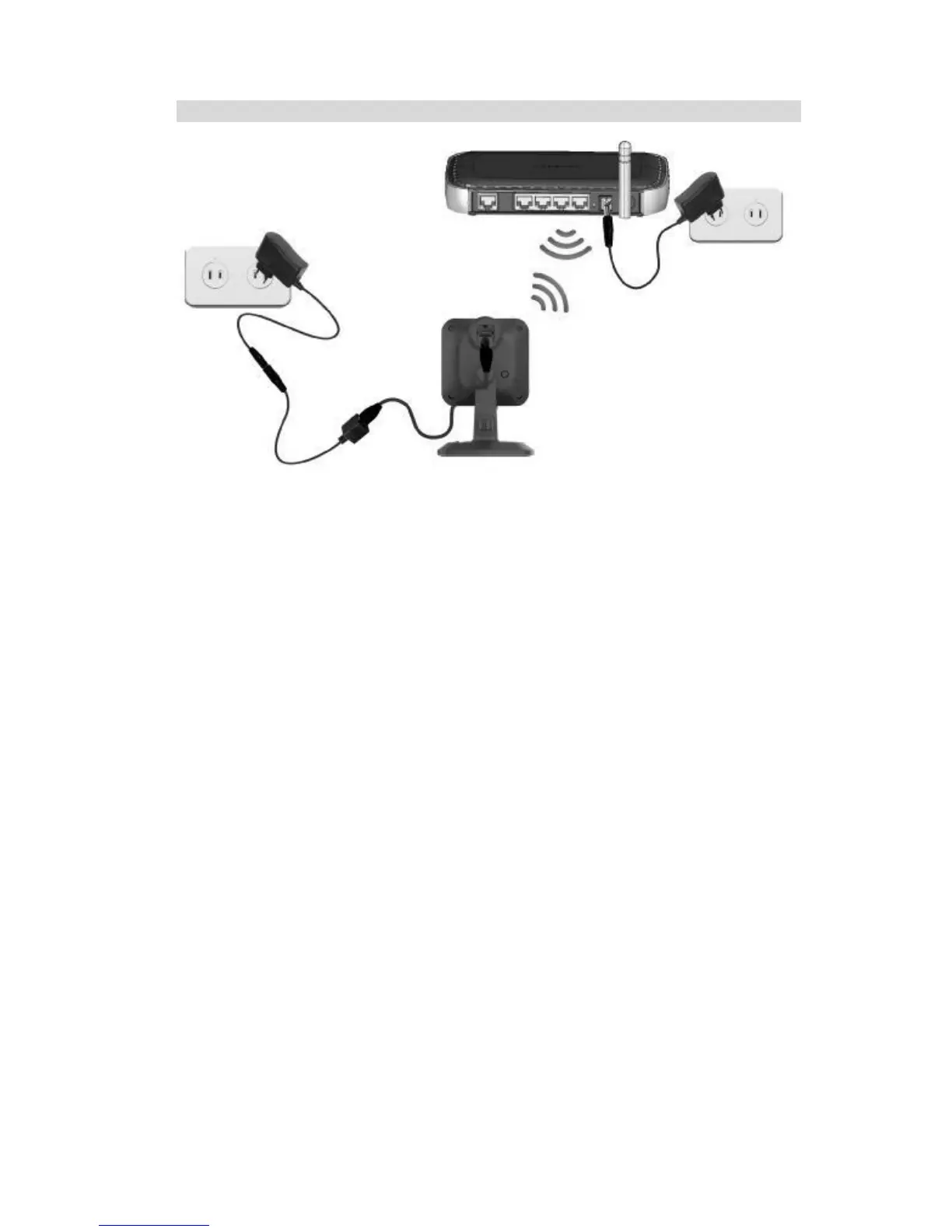
Figure 4: Installation
1. Disassemble the Camera
Unplug the Y-cable and power off the camera.
2. Connect the Ethernet cable
Connect the Ethernet cable to the LAN port of the iCamera2.
3. Power Up
Connect the DC cable to the Ethernet cable.
Connect the supplied power adapter to the DC cable to power up the iCamera2. Use only
the power adapter provided. Using a different one may cause hardware damage.
4. Check the LEDs
• The Power LED will turn on briefly, then start blinking. It will blink during startup, which
takes 15 to 20 seconds. After startup is completed, the Power LED should remain ON.
• The Network LED should be ON.
For more information, refer to Physical Details - iCamera2 in Chapter 1.


 To Next Page