Product Overview
5
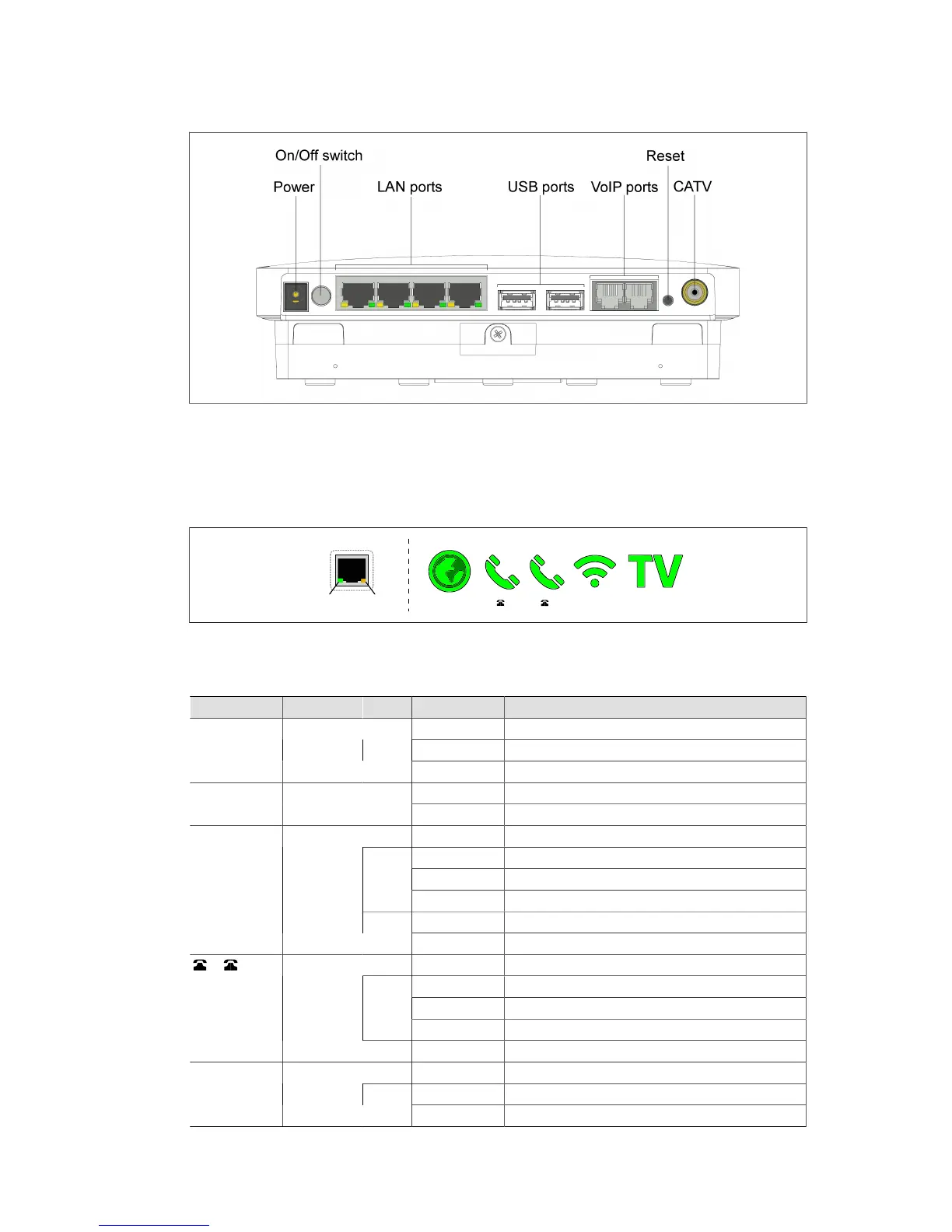
Figure 1. The Icotera IGW3000 front panel
Status LEDs
There are two types of the Icotera IGW3000 status LEDs: LAN port LEDs and the LEDs on the
LED panel that is located between LAN and POTS ports.
Figure 2. The Icotera IGW3000 status LEDs
The following table shows the status LEDs descriptions for the Icotera IGW3000.
Table 1. The Icotera IGW3000 status LEDs descriptions
LED Type Type Colour State Description
On Communications link established
Blinking Network activity on the corresponding port
Link Activity LAN port
activity
Green
Off Bad connection no connection to this port
On Corresponding port linked and operating at 1 Gb/sLink Status LAN port
status
Yellow
Off Corresponding port set to operate at 10/100 Mb/s
N/A Off Power down
Blinking fast Obtaining IP address
Blinking slow Auto detection
Green
Solid IP connection established
Blinking slow Management interface lease fail
WAN WAN port
activity
Red
Solid No signal
N/A Off Line disabled
Blinking fast Call in progress
Blinking slow Off-hook
Green
Solid Line registered
VoIP
registration
status/Hook
status
Red Solid Line registration error
N/A Off WiFi not configured, disabled or not in use
Blinking fast Connecting new client (blinking 5 s)
WiFi WiFi status
and activity
Green
Solid WiFi configured and enabled



 To Next Page