EasyManua.ls Logo

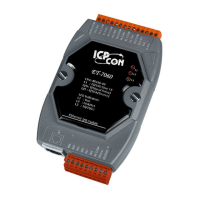
ICP DAS USA PET-7060 - User Manual

ICP DAS USA PET-7060
156 pages
Print Icon
To Next Page IconTo Next Page
Loading...
PET-7000 series
Power over Ethernet Remote I/O Module
User Manual
(For Digital I/O Modules)

Table of Contents

Questions and Answers

  • B
    Barbara MontgomeryAug 4, 2025
    What to do if Web HMI and Modbus/TCP program cannot access ICP DAS USA PET-7060 module through port 502?
    • M
      Michael BarnesAug 4, 2025
      If you can explore the web page through port 80 using a web browser, but the Web HMI and Modbus/TCP program cannot access the module through port 502, it might be because port 502 has been restricted by the firewall. In this case, you should consult your MIS administrator for assistance.
  • A
    Amanda JamesAug 11, 2025
    Why I cannot communicate via the Ethernet port on my ICP DAS USA PET-7060?
    • A
      Alexandra DavisAug 12, 2025
      If you cannot communicate via the Ethernet port, but the ET-7000 is still operating, it could be due to several reasons: * The IP/Mask/Gateway address isn’t within the IP address range of the LAN. To fix this, change the IP/Mask/Gateway address to match the LAN, or ask the MIS administrator for assistance. * The IP address has been restricted by the IP filter settings. To resolve this, check the IP filter setting using the Web configuration. * There are more than 30 TCP/IP connections. In this case, reboot the module.
  • P
    paige75Aug 18, 2025
    What to do if RUN LED indicator is ON but not flashing on ICP DAS USA PET-7060 I/O Systems?
    • S
      schultzheatherAug 18, 2025
      If the RUN LED indicator on your ICP DAS USA I/O Systems is ON (light) but not flashing, the module has possibly crashed. To resolve this, reboot the module.
  • P
    petersonmichelleAug 26, 2025
    How to fix RUN LED if it doesn’t light on ICP DAS USA PET-7060?
    • R
      Robert HallAug 27, 2025
      If the RUN LED doesn’t light on your ICP DAS USA I/O Systems, it indicates that the internal power has failed. Return the module for repair.

Summary

Chapter 1: Introduction and Specifications

1.1. Features

Details the PET-7000's built-in web server and web HMI functions.

1.2. Specifications

Lists system, communication, power, and environmental specifications.

1.5. PET-7000 Installation

Covers mounting, hardware connection, and Ethernet wiring.

Chapter 2 & 3: Configuration and Setup

2.1. Configuring Network Settings

Steps to configure network settings using the MiniOS7 utility.

3.2. Configuration Options

Covers Ethernet, Basic, and Module I/O settings via web interface.

3.3. Authentication and Security

Manages user accounts and IP filtering for module access.

3.4. Web HMI Customization

Allows creating and managing user-defined web pages for the HMI.

3.5. I;O Pair Connection

Configures DI to DO pairing through Ethernet using Modbus/TCP.

Chapter 4, 6, 7, 8: Access, Integration, and Software

4.1. Access via Ethernet Network

Explains access via Ethernet and Modbus/TCP protocol.

6.2. LabVIEW Integration

Guide for integrating PET-7000 with LabVIEW for data acquisition.

7.3. OPC Server Example

Example of accessing I/O values using OPC server and Modbus/TCP.

8. SCADA Integration

Covers integrating PET-7000 with SCADA systems like InduSoft, Citect, iFix.

Troubleshooting and Support

9. Troubleshooting Common Issues

Discusses methods for diagnosing and fixing common problems.

Appendix H: Technical Support

Provides contact information and guidelines for technical support.

Appendices

Appendix A: Dimensions

Provides dimensional drawings and mounting bracket information.

Appendix B: MiniOS7 Utility

Guide for installing MiniOS7 utility and updating firmware.

Appendix C: Modbus Register Tables

Lists Modbus register tables for supported PET-7000 series modules.

Appendix E: JAVA Installation

Guide for installing Java Runtime Environment (JRE) for web browser compatibility.

ICP DAS USA PET-7060 Specifications

General IconGeneral
ModelPET-7060
Digital Input Channels6
Digital Output Channels6
Input TypeDry Contact
Communication InterfaceRS-485
ProtocolModbus RTU
Power Supply10 ~ 30 VDC
Overload ProtectionYes
CommunicationRS-485
ProtocolsModbus RTU
Operating Temperature-25 ~ 75 °C
Storage Temperature-40°C to 85°C
Humidity10 ~ 90% RH
Baud Rate1200, 2400, 4800, 9600, 19200, 38400, 57600, 115200

Related product manuals