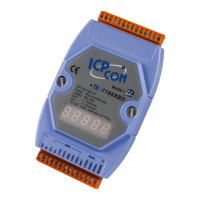
The WinCon 8000 is a Compact Embedded Controller designed for industrial applications, offering a blend of IPC and PLC functionalities. It is a flagship product by ICP DAS, leveraging Windows CE.NET and Windows programming styles for development. The controller supports various I/O expansion modules, making it highly versatile for different automation needs.
Function Description:
The WinCon 8000 serves as a compact embedded controller, capable of running Windows CE.NET applications and supporting various industrial control tasks. It integrates HMI, serial communication, FRnet interface, and I/O expansion capabilities. The device is designed to be a robust solution for industrial PCs, offering local visualization and management through VGA and PS/2 keyboard/mouse support. Data can be stored on a Compact Flash and USB interfaces. It also provides communication capabilities via built-in Ethernet and RS-232/485 interfaces.
The WinCon 8000 series is categorized into two main types: WinCon-8x3x and WinCon-8x4x, distinguished by their Ethernet port configurations and the number of USB ports. Both types support different application platforms, indicated by the last digit of their model number:
- 1 (Master Controller): Users design their own application programs.
- 7 (ISaGRAF SoftPLC Support): Users can develop and run SoftPLC programs within the controller.
- 9 (InduSoft Support): Provides a SCADA application platform with InduSoft Web Studio Run-time version, allowing clients to develop and download applications using InduSoft Web Studio.
Important Technical Specifications:
Main Control Unit:
- CPU: Intel Strong ARM CPU, 206 MHz
- SRAM: 64M bytes
- Flash RAM: 32M bytes
- EEPROM: 16K bytes
- Unique Hardware: 64-bit hardware unique serial number
- Timers: Built-in Watchdog Timer, Real Time Clock
- VGA Port: Supports resolutions from 320x240x16 to 1024x768x16 (Default: 640x480x16)
- Storage: 1 Compact Flash slot (CF memory card)
- Controls: Reset button
- Indicators: Power LEDs
W-8X3X Specifics:
- PS/2 Ports: 2 (Keyboard and Mouse)
- USB Ports: 1.1 Host x 1
- Ethernet: 10 Base T (NET2000 compatible)
W-8X4X Specifics:
- USB Ports: 1.1 Host x 2
- Ethernet: 10/100 Base T x 2
Cabinet (Common to both):
- Serial Ports:
- COM0: Internal use
- COM1: Serial Control for 87k Series
- COM2: RS-232
- COM3: RS-485
- FRnet: Option
- I/O Expansion Slot:
- 3-slot for W-83X1
- 7-slot for W-87X1
- Power Supply: 20W, Unregulated + 10Vdc to +30Vdc
Environmental Conditions:
- Operating Temperature: -25°C to +75°C
- Storage Temperature: -30°C to +85°C
- Humidity: 5% to 95%
Dimensions (W x H x D):
- None slot: 115.66 x 110 x 93.8 mm
- 3 slot: 230.25 x 110 x 93.8 mm
- 7 slot: 354.26 x 110 x 93.8 mm
I/O Module (Optional):
- Supports I-8000 series modules (DI, DO, AO, AI)
- Supports I-87K series modules (DI, DO, AO, AI)
- Supports I-7000 series modules (DI, DO, AO, AI)
Model Specifics (Summary Tables):
WinCon-8x3x Models:
| Model |
Description |
CPU Speed |
Embedded OS |
Slot |
Flash |
SDRAM |
Peripherals |
| W-8031 |
Embedded Controller |
206MHz |
Windows CE.NET |
0 |
32 Mbyte |
64Mbyte |
10BaseT Ethernet Portx1, VGA Portx1, CF Slotx1, USBx1, PS/2 Keyboardx1, PS/2 Mousex1, RS-232x1, RS-485x1, FRnetx1(Option) |
| W-8331 |
Embedded Controller |
206MHz |
Windows CE.NET |
3 |
32 Mbyte |
64Mbyte |
(Same as W-8031) |
| W-8731 |
Embedded Controller |
206MHz |
Windows CE.NET |
7 |
32 Mbyte |
64Mbyte |
(Same as W-8031) |
| W-8037 |
ISaGRAF Embedded Controller |
206MHz |
Windows CE.NET |
0 |
32 Mbyte |
64Mbyte |
(Same as W-8031) |
| W-8337 |
ISaGRAF Embedded Controller |
206MHz |
Windows CE.NET |
3 |
32 Mbyte |
64Mbyte |
(Same as W-8031) |
| W-8737 |
ISaGRAF Embedded Controller |
206MHz |
Windows CE.NET |
7 |
32 Mbyte |
64Mbyte |
(Same as W-8031) |
| W-8039 |
InduSoft Embedded Controller |
206MHz |
Windows CE.NET |
0 |
32 Mbyte |
64Mbyte |
(Same as W-8031) |
| W-8339 |
InduSoft Embedded Controller |
206MHz |
Windows CE.NET |
3 |
32 Mbyte |
64Mbyte |
(Same as W-8031) |
| W-8739 |
InduSoft Embedded Controller |
206MHz |
Windows CE.NET |
7 |
32 Mbyte |
64Mbyte |
(Same as W-8031) |
WinCon-8x4x Models:
| Model |
Description |
CPU Speed |
Embedded OS |
Slot |
Flash |
SDRAM |
Peripherals |
| W-8041 |
Embedded Controller |
206MHz |
Windows CE.NET 4.1 |
0 |
32 MB |
64MB |
10/100BaseT Ethernet Portx2, VGA Portx1, CF Slotx1, USBx2, RS-232x1, RS-485x1, FRnetx1(Option) |
| W-8341 |
Embedded Controller |
206MHz |
Windows CE.NET 4.1 |
3 |
32 MB |
64MB |
(Same as W-8041) |
| W-8741 |
Embedded Controller |
206MHz |
Windows CE.NET 4.1 |
7 |
32 MB |
64MB |
(Same as W-8041) |
| W-8047 |
ISaGRAF Embedded Controller |
206MHz |
Windows CE.NET 4.1 |
0 |
32 MB |
64MB |
(Same as W-8041) |
| W-8347 |
ISaGRAF Embedded Controller |
206MHz |
Windows CE.NET 4.1 |
3 |
32 MB |
64MB |
(Same as W-8041) |
| W-8747 |
ISaGRAF Embedded Controller |
206MHz |
Windows CE.NET 4.1 |
7 |
32 MB |
64MB |
(Same as W-8041) |
| W-8049 |
InduSoft Embedded Controller |
206MHz |
Windows CE.NET 4.1 |
0 |
32 MB |
64MB |
(Same as W-8041) |
| W-8349 |
InduSoft Embedded Controller |
206MHz |
Windows CE.NET 4.1 |
3 |
32 MB |
64MB |
(Same as W-8041) |
| W-8749 |
InduSoft Embedded Controller |
206MHz |
Windows CE.NET 4.1 |
7 |
32 MB |
64MB |
(Same as W-8041) |
Usage Features:
- Quick Start Guide:
- Insert the bundled CF memory card into the CF slot.
- Plug in PS/2 or USB keyboard and mouse.
- Plug in a VGA monitor.
- Connect the WinCon8000 to LAN.
- Insert 8K/87K series I/O modules into expansion cabinet slots.
- Connect COM ports in the cabinet to controlled devices.
- For W-8x4x models, ensure the rotary SW is at "0" position (Normal Mode).
- Connect to DC power and turn it on.
- The Windows CE .NET operating system will start, allowing for further operations and application development.
- Rotary SW (for W-8x4x only): This switch defines the operating mode of the device:
- 0 (Normal Mode): Standard operation.
- 1 (Clear Registry): Clears the system registry.
- 2 (OS updated by PB): OS update via platform builder.
- 3-7 (Reserved): Not for user definition.
- 8-F (User defined): Allows user-specific definitions.
- Important Note: Always keep the rotary SW at "0" for normal mode. To clear the registry, rotate to "1" and power on; WinCon will revert to factory settings after 3 seconds. For OS updates, rotate to "2" and refer to the WinCon Getting Start user manual.
- Network Isolation (WinCon-8x4x): Supports network isolation for enhanced security and control, allowing the device to connect to the Internet, ERP systems, and PC servers via an Ethernet switch, while also interfacing with 3rd party devices and I-8000/7188E series modules.
- Network Redundancy (WinCon-8x4x): Offers network redundancy for increased reliability, ensuring continuous operation even if one network path fails.
Maintenance Features:
- Controller Cover: Designed for safety and controller setting memo. The WinCon8000 provides a main controller cover to protect the reset push button and other configuration memo areas.
- Step 1: Use hand to push the main controller cover and then pull-down the cover.
- Step 2: Open the cover, as shown in the figure.
- The Expansion I/O setting record is located on the main controller unit. The memo area is on the inside cover. The reset key is on the right-up corner, protected by the controller cover.
Package Contents:
- One set of WinCon8000 hardware
- One Compact Flash Memory Card for storing system files
- One hardware user's manual (this document)
- One software utility CD with Software User's Manual included
- Note: It is recommended to read README.TXT on the CD first for important information.
CD Contents:
- WinCon8000 SDK
- WinCon Utilities
- Source code of demo programs
- Software User's Manual
- InduSoft User's Manual
- References in ReadMe.txt
CF Memory Card Contents (default 128 Mbytes):
- WinCon8000 System files
- WinCon Utilities
- Demo programs
- InduSoft system (for W-8739/W-8339 only)
- Directories for FTP server and Http server
- References in Software User's Manual bundled CD
Warranty:
- All products manufactured by ICP DAS are warranted against defective materials for a period of one year from the date of delivery to the original purchaser.
Warning:
- ICP DAS assumes no liability for damages consequent to the use of this product.
- ICP DAS reserves the right to change this manual at any time without notice.
- Information provided is believed to be accurate and reliable, but no responsibility is assumed for its use or for any infringements of patents or other rights of third parties.

 Need help?
 General

 To Next Page