30
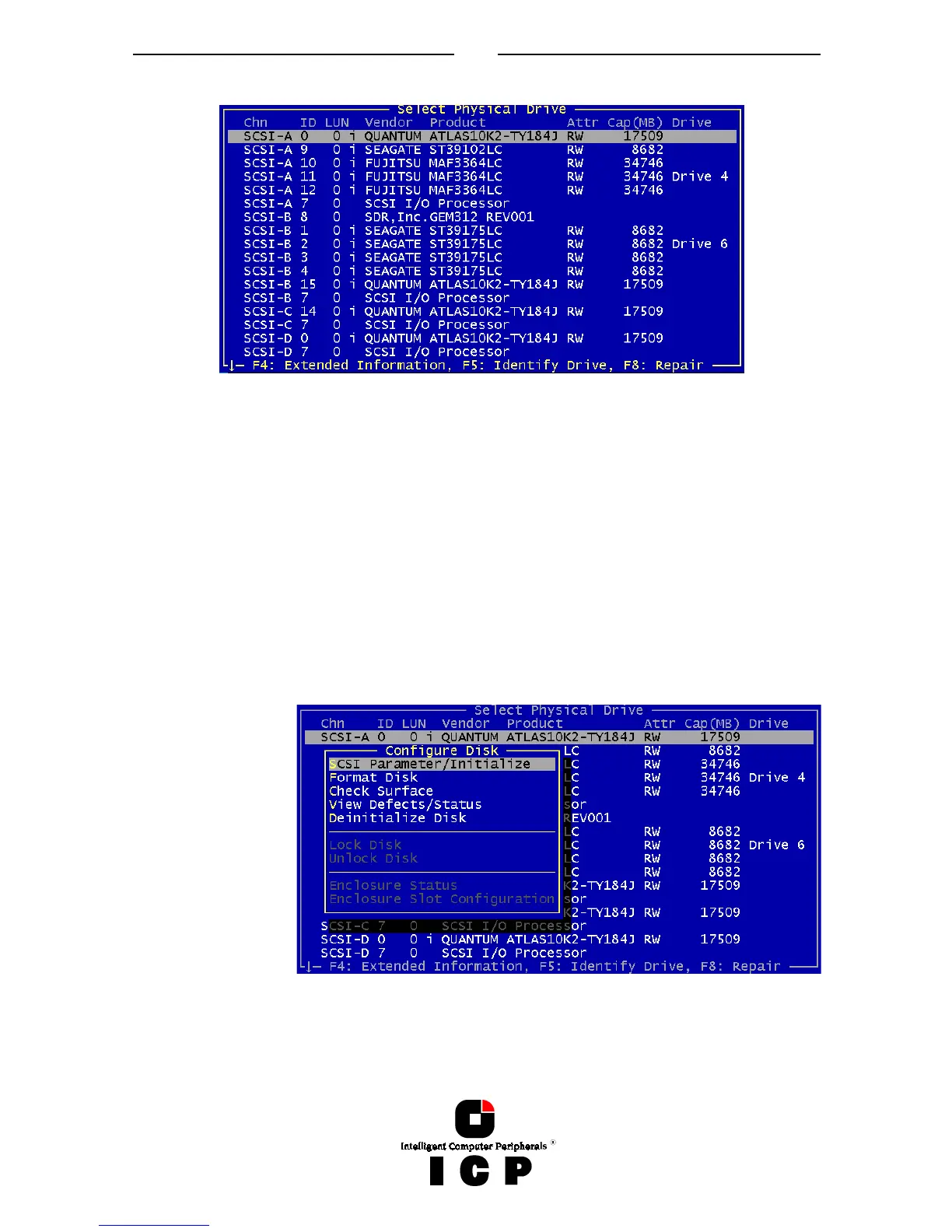
Read/Write; RO for Read Only). The IO-Processors and SAF-TE-Processors (in our example
channel B ID 8: SDR, Inc. GEM312 REV001) to not have attributes. The next column lists the
capacity of the hard disk in MB (1MB = 1024KB; 1GB=1024MB). The last column gives in-
formation on the assignment of this Physical Device to a Logical/Array/Host Drive.
With ICP Fibre Channel RAID Controllers, F4 delivers extended information on Fibre Chan-
nel drives (World Wide Name, firmware-level and the Link- status of the drive).
If you press F5, the ICP Controller periodically turns the LED (if available) of the corre-
sponding drive on and off. This helps to physically identify a specific drive in an array of
many drives.
If you press F8 you can repair the configuration data of a physical drive. If your ICP Con-
troller should ever display during his boot sequence a message like “Detected Primary Con-
figuration Data error, using Secondary“ or similar, you can try to repair the data with F8.
If you press ENTER on a specific drive ICPCON opens the “Configure Disk” menu. Here, all
relevant adjustments and modifications concerning the physical drives can be carried out.
Note: If you create
new Host Drives
with the Express
Setup function,
ICPCON and the
ICP Controller will
automatically ad-
just all parameters
to their respective
best values. The
transfer rate per
drive depends on
circumstances like
cables, terminators,
etc.. I.e., if a certain
configuration does
not allow 160 MB/sec, the drive will be automatically “throttled” down to the next trouble-
free transfer rate.



 To Next Page