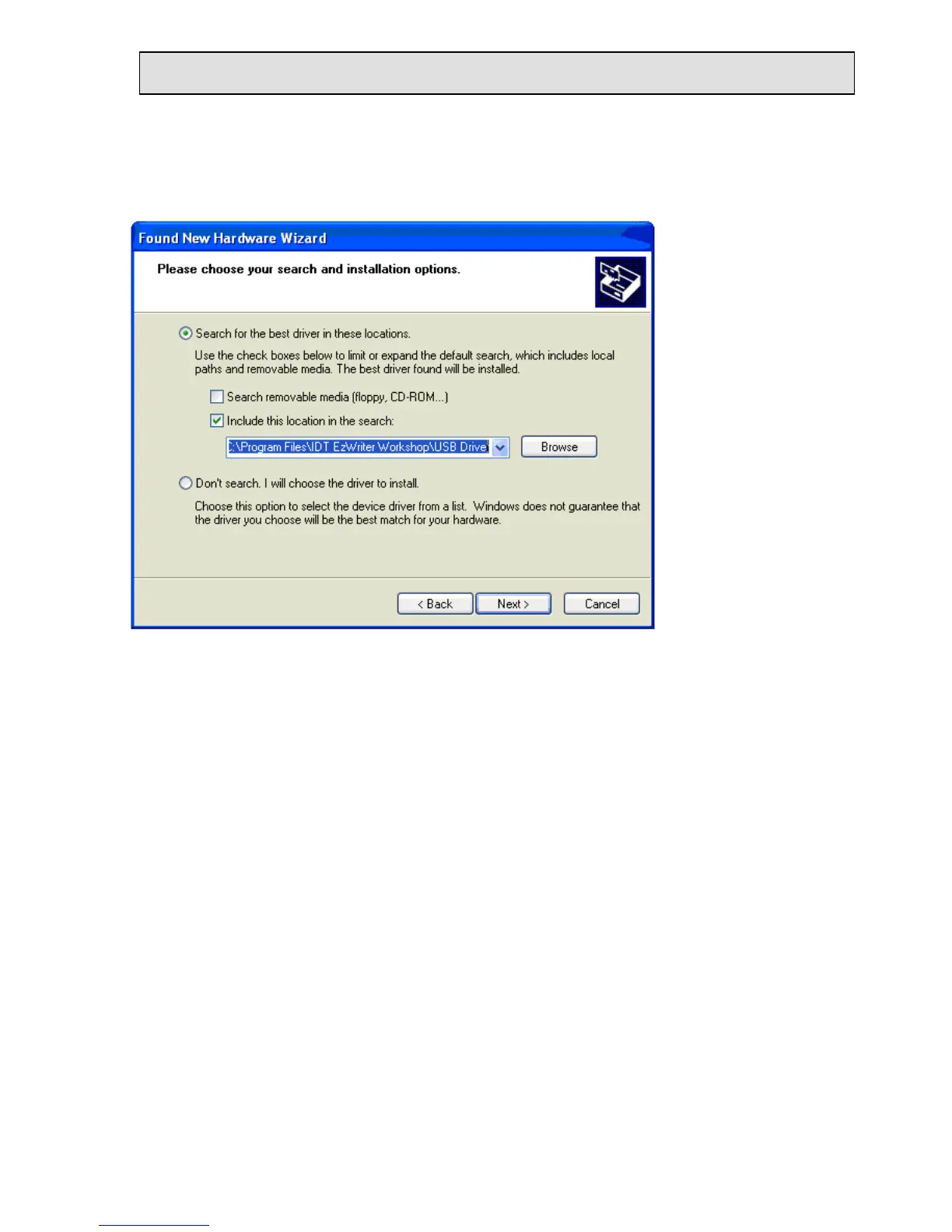
Select “Browse” & establish the path “C:\Program Files\IDT EzWriter Workshop\USB
Driver”. Select next and the Wizard locates and loads the driver from the folder.
The wizard searches for and installs the first driver. The New Found Hardware Wizard
appears a second time to install a second driver. Repeat the same process again to install
the second driver. When both drivers are installed, the process is complete and the USB
communication interface is ready for operation.


 To Next Page