EasyManua.ls Logo

iDance CM3 - User Manual

iDance CM3
10 pages
Print Icon
To Next Page IconTo Next Page
Loading...
0
ModelCM3
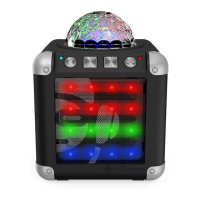
Bluetooth wireless sound system with Light show
Instruction Manual

Questions and Answers

  • C
    Claudia RobinsonAug 3, 2025
    What to do if there is no sound when playing audio via Bluetooth on my iDance Stereo System?
    • R
      Regina GoldenAug 3, 2025
      If you're not getting any sound when playing audio via Bluetooth on your iDance Stereo System, ensure your Bluetooth device is properly paired, as described in the “Pairing a Bluetooth Device for the First Time” section. Also, make sure the unit is within the Bluetooth operating range (30 feet). Check that the volume on both your Bluetooth device and the unit are set at an audible level.
  • R
    Rickey CummingsAug 9, 2025
    Why is there no sound coming from my iDance Stereo System?
    • G
      george29Aug 9, 2025
      If you're experiencing no sound from your iDance Stereo System, it could be due to the unit's battery being exhausted. Try recharging the unit's battery. Additionally, check the volume level and increase it by pressing the volume+ button.
  • A
    Andrea GonzalezAug 14, 2025
    How to fix no charging issue on iDance Stereo System?
    • S
      Sean HuntAug 15, 2025
      If your iDance Stereo System isn't charging, ensure the USB power adapter (not included) is correctly plugged into a functioning wall outlet and that the USB cable (included) is securely connected to the mini USB jack on the unit. To verify the outlet's functionality, plug another device into it. If using a computer, ensure it's powered on and try a different USB port.
  • Y
    yhessAug 21, 2025
    What to do if my iDance Stereo System doesn't respond to any button presses?
    • E
      Ernest AllenAug 21, 2025
      If your iDance Stereo System isn't responding to button presses, it might be due to electrostatic interference. To reset the unit, slide the POWER switch to the off position and wait 10 seconds before turning it back on.
  • J
    jenningsmeganAug 27, 2025
    What to do if there is no sound in AUX mode on iDance Stereo System?
    • N
      Natasha FordAug 27, 2025
      If you're not getting any sound in AUX mode on your iDance Stereo System, first, adjust the volume knob to increase the volume. If that doesn't work, check the connection of the external device and ensure the contact pins are clear before reconnecting.

Summary

Important Safety Instructions

Compliance with FCC Regulation

Details FCC compliance rules and conditions for device operation.

Bluetooth Operation

Pairing a Bluetooth Device

Steps to connect a Bluetooth device for wireless audio playback.

Playing Audio Wirelessly

How to stream music from a paired Bluetooth device.

Specifications

Orientation

Front Features & Controls

Identifies buttons, indicators, and displays on the front of the unit.

Rear Input & Controls

Details the input/output ports and switches located on the rear.

Trouble Shooting

iDance CM3 Specifications

General IconGeneral
BrandiDance
ModelCM3
CategoryStereo System
LanguageEnglish

Related product manuals