EasyManua.ls Logo

iDance Groove 980 - User Manual

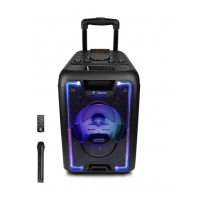
iDance Groove 980
16 pages
Print Icon
To Next Page IconTo Next Page
Loading...
GROOVE
980
PORTABLE 1000 WATTS
ALL-IN-ONE PARTY SYSTEM
Systeme de sonorisation
Portable 1000 Watts tout-en-un
OPERATING INSTRUCTIONS

Questions and Answers

  • K
    Kerry SmithAug 4, 2025
    What to do if my iDance Stereo System has no sound?
    • S
      Sarah BrownAug 4, 2025
      If your iDance Stereo System isn't producing sound, there could be several reasons: * The sound source may not be correctly inputted – try changing the signal source. * The signal line might not be properly connected – try reconnecting it. * The main volume could be set to minimum – adjust the volume knob. * If playing from a U disk, there might be an issue with the disk or audio switch – inspect the U disk or audio switch. * There may be faults with the external signal source – change the signal source. * The external signal line could have poor contact or be damaged – readjust or change the signal line.
  • D
    Dustin WarrenAug 11, 2025
    Why is my iDance Groove 980 failing to electrify?
    • R
      Russell HerringAug 11, 2025
      If your iDance Stereo System is not electrifying, it could be due to the following reasons: * The power switch is not turned on. Make sure to open the power switch. * The built-in battery is completely drained. Use the power adapter to charge the battery.
  • C
    Cynthia BarrettAug 18, 2025
    What to do if my external microphone has no sound on iDance Stereo System?
    • M
      Mark AndersonAug 18, 2025
      If your external microphone isn't working with the iDance Stereo System, consider these possibilities: * The microphone might not be fully inserted into the jack – ensure it's completely inserted. * The microphone switch might be off – open the switch of wireless microphone. * The microphone volume knob could be turned down – properly adjust the volume knob.
  • D
    debbieperezAug 26, 2025
    What to do if I have problems with the wireless microphone on my iDance Groove 980 Stereo System?
    • K
      kristina16Aug 26, 2025
      If you're experiencing issues with the wireless microphone on your iDance Stereo System: * Ensure the wireless microphone switch is on – open the switch of wireless microphone. * Check if the batteries are correctly inserted – insert electrical apparatus to the battery box of wireless microphone. * If the sound is distorted, try changing the batteries – change the battery of wireless microphone.

Summary

OPERATING INSTRUCTIONS

Important Safety Instructions

Key safety precautions and warnings to prevent hazards during use.

Product Features

Highlights the main functionalities and capabilities of the party system.

Battery and Charging Guidelines

Provides instructions for battery care, charging, and usage for optimal performance.

U Disk MP3 Functionality

Instructions for formatting U disks and playing MP3 files.

Control Panel and Connectivity

Details on the various controls, inputs, outputs, and rear panel connections.

FM Radio Operation

Instructions on how to operate the built-in FM receiving function.

Wireless Microphone Usage

Instructions and tips for using the wireless microphone effectively.

Maintenance and Troubleshooting

Common Faults and Solutions

Analysis and solutions for common operational problems and failures.

iDance Groove 980 Specifications

General IconGeneral
WooferYes
Woofer diameter381 mm
Number of speakers1
Audio output channels- channels
RMS rated power1000 W
Product typeStereo portable speaker
Product colorBlack
Volume controlRotary
Illumination colorMulti
USB 2.0 ports quantityUSB 2.0 ports have a data transmission speed of 480 Mbps, and are backwards compatible with USB 1.1 ports. You can connect all kinds of peripheral devices to them.
Connectivity technologyWired & Wireless
Recommended usageUniversal
Audio formats supportedMP3
Compatible memory cardsMicroSD (TransFlash)
Battery typeBuilt-in battery
Power source typeAC, Battery
Battery life (max)4 h
Package depth405 mm
Package width490 mm
Package height1145 mm
Package weight23500 g
Weight and Dimensions IconWeight and Dimensions
Depth440 mm
Width20500 mm
Height380 mm
Weight1100 g

Related product manuals