3 SignalTEK CT 156840.02
INTRODUCTION
Comprehensive testing of installed data cables is essential in order to:
• Prove that the cables are capable of carrying Ethernet traffic, error-free in
accordance with the Ethernet standard
• Prove that they are correctly wired
• Minimise call-backs
Two tests are essential to achieving this quality standard:
• A data test which sends Ethernet traffic over the cable and checks that its
performance complies with the IEEE 802.3ab standard
• A wiremap test which checks that the wiring is free from faults
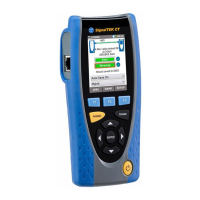
SignalTEK CT is a Data Cable Transmission Tester that allows you to:
• Perform both of the required tests automatically, measure the cable length, and
save the results, all from a single button press
• Review the results, identify any faults found and re-test after repairs if necessary
• Create and output a report as documented proof that the cables tested are fit for
purpose, and as a record of the length of cable installed
A typical procedure for testing and documenting a number of cables in a job is:
1. Enter into the tester the details of the engineer performing the tests, and your
company logo if required, for inclusion in the final report
2. Enter into the tester the details of the job, including client details as appropriate
and cable Category if required, for inclusion in the final report
3. For each cable to be tested:
a. Connect the SignalTEK CT Test Unit to one end of the cable
b. Connect the SignalTEK CT Remote Unit to the other end of the cable
c. Press the yellow Autotest button on either Unit
d. Allow the two tests to be completed (approx. 20secs total)
e. Move on to the next cable and repeat steps (a) to (d)
4. When all of the cables have been tested:
a. (Optional) Review the results, repair and re-test any faulty cables
b. Plug a USB memory key into the Test Unit
c. Save a full or summary report for delivery to the client
SAFETY INFORMATION
When using SignalTEK CT, always take basic safety precautions to reduce the risk of
fire, electric shock and injury to persons. These include the following:
• When connecting to the line, special care must be taken as high voltages may
be present on the line and there may be a danger of electrocution.
• Avoid using the tester during an electrical storm - there is a remote risk of
electric shock by lightning.
• Use only the mains electricity adaptor supplied with your SignalTEK CT.
DO NOT CONNECT ANY TELECOMMUNICATIONS NETWORK
TO ANY OF THE TESTER’S PORTS


 To Next Page
 Loading...