5 SignalTEK CT 156840.02
HOME SCREEN
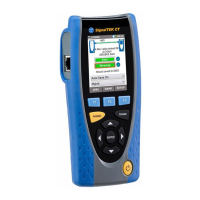
The HOME screen is displayed following start
-
up. (To return to the HOME screen from any
other screen, press Escape repeatedly until t
he HOME screen appears.)
When the Remote Unit Icon is disp
layed, indicating that the two units are connected
together via the cable to be tested, press Autotest at either end to start the tests.
Shows the number of
results stored / total
capacity
Battery full
Battery
2
/
3
full
Battery
1
/
3
full
Battery empty
Mains / on charge
Indicates progress of
the Data Test. Highlight
the icon using the
cursor buttons and
press Enter to view the
details of the Data Test.
(Indicated
after the
tests are
complete)
Shows the current activity or
status of the tester
Indicates that the
Remote Unit is
connected to the Test
Unit
Indicates progress of the
Wiremap Test. Highlight
the icon using the cursor
buttons and press Enter
to view the details of the
Wiremap Test.
Ready to test
Test in progress
Test Passed
Highlight the icon using the
cursor buttons and press
Enter to select how results
should be saved
Press F1 (JOBS) to
access the JOBS
menu.
Press F3 (SETUP) to
access the SETUP
menu.
Shows the name
of the last saved
Shows the currently
selected Job. Highlight
the icon using the cursor
buttons and press Enter
to select which Job to
save results to.
Press F2 (STOP) to
interrupt the test, or
(SAVE) to save the
result manually, or
(NAME) to edit the
name format of the
subsequent test results


 To Next Page
 Loading...