i-MARK 2 / i-MARK 3
USER MANUAL
VISIBILITY DELIVERED. PAGE 44 OF 55
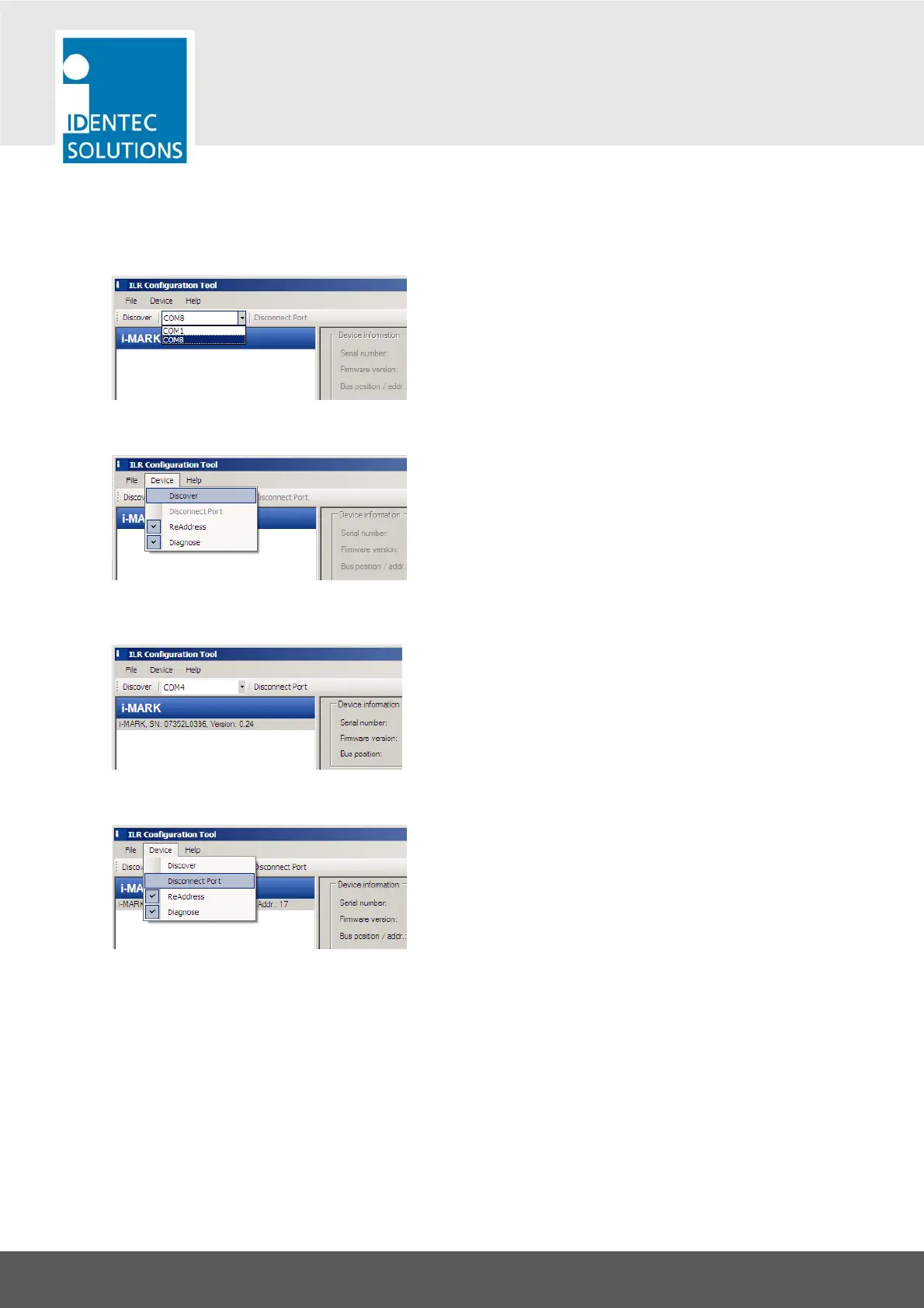
Select COM-Port of the USB-RS422-Converter
Discover Devices on the i-BUS
Use either the menu entry or the button in the tool bar.
In this example there is one i-MARK discovered on the i-BUS.
Disconnect After Configuration
After storing a configuration with “Apply” you should disconnect the i-MARK using the either the menu
entry or the button “Disconnect Port” in the tool bar. This frees up the COM port.



 To Next Page