i-MARK 2 / i-MARK 3
USER MANUAL
VISIBILITY DELIVERED. PAGE 43 OF 55
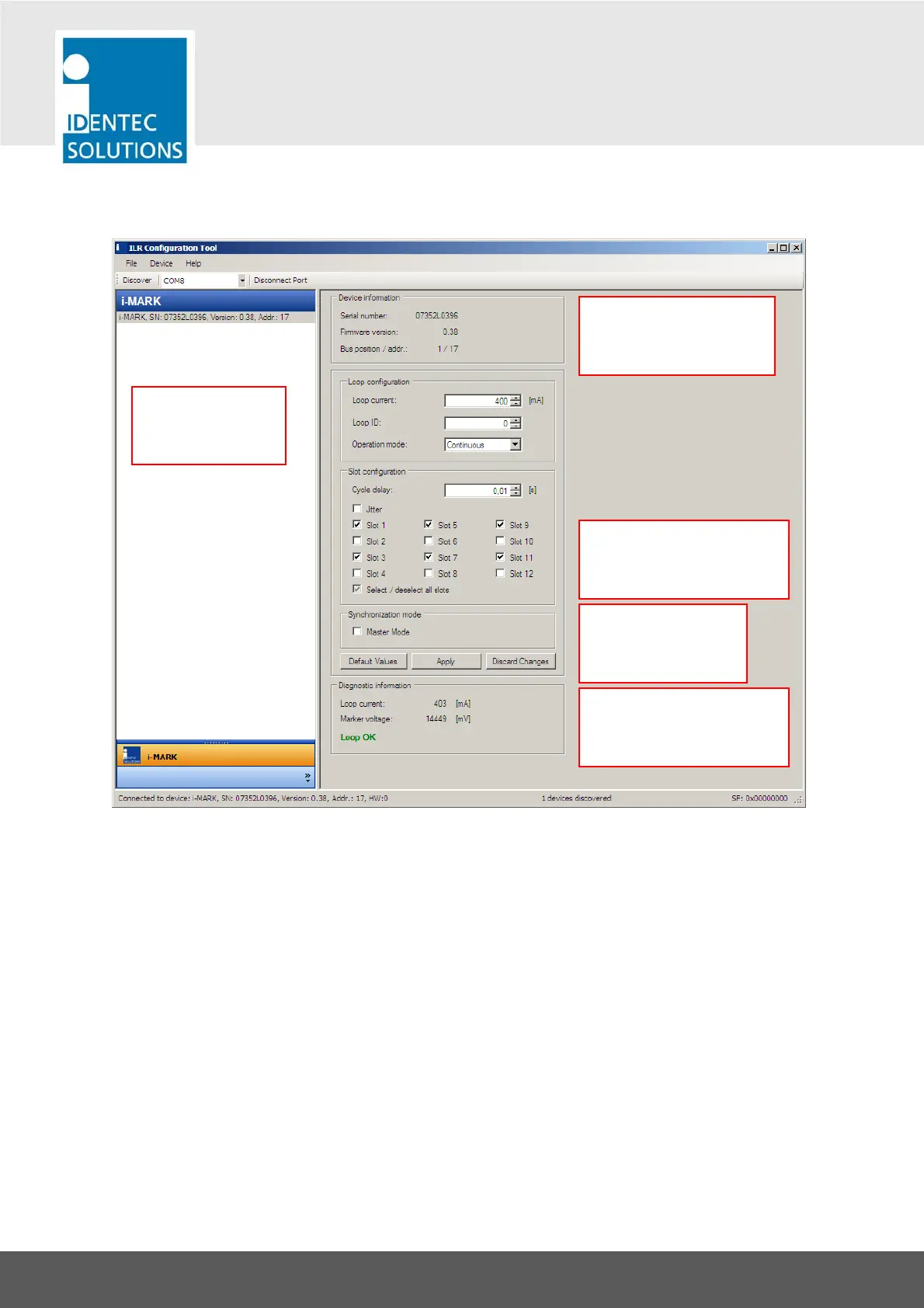
8.4 ILR Configuration Tool—Overview
Note on the Individual Loop ID
The Loop ID (Marker ID) must be in the range from 1 … 65520. So “0” and numbers above 65520 are
not allowed.
Devices found on
the i-BUS are listed
here.
<= Version Information
on the currently selected
device.
<= Set Master Mode
only for the first
device on the i-BUS.
<= Diagnostic Information
on the currently selected
device.
<= Use “Select/deselect all
slots” to quickly come close
to your desired setting.



 To Next Page