42 43
REFERENCE INFORMATION
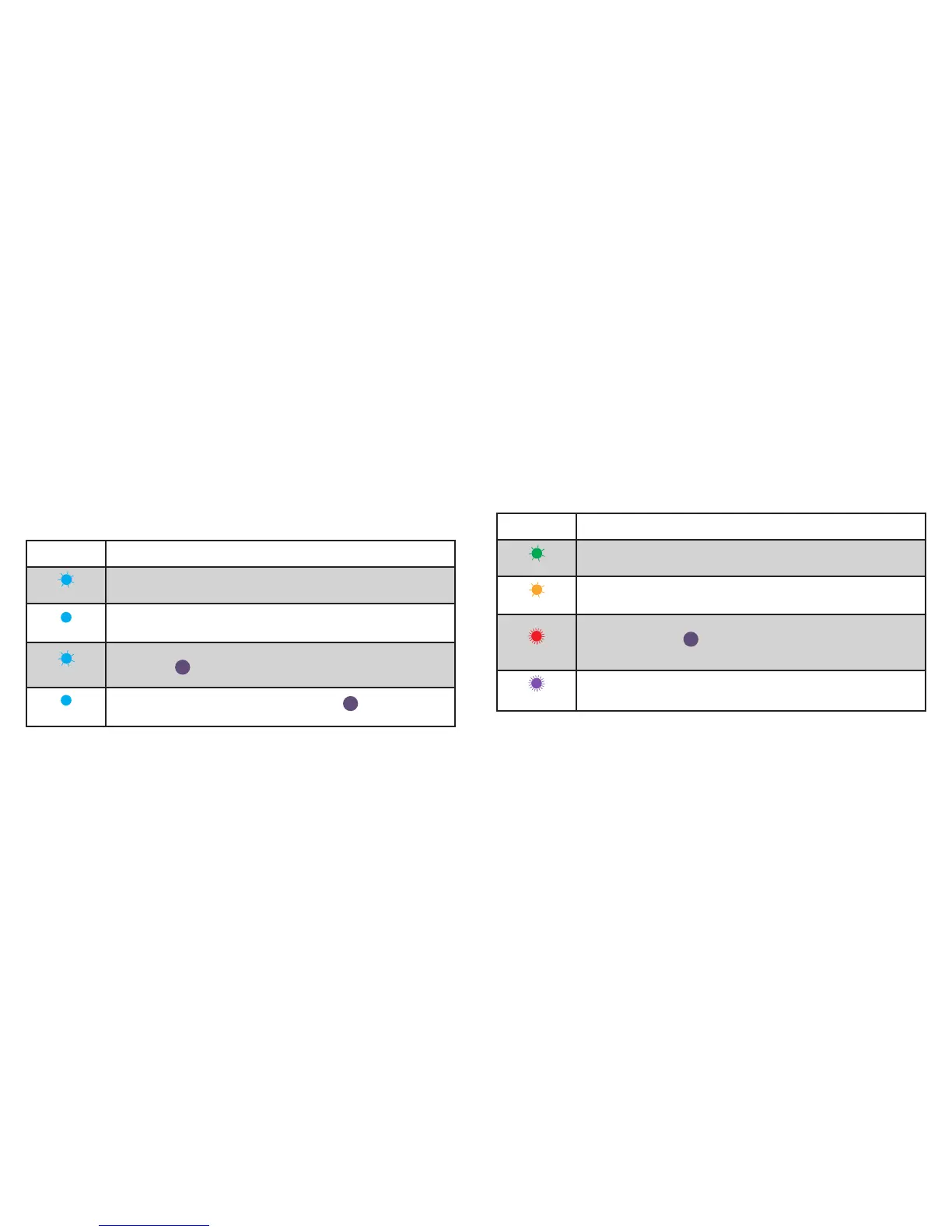
LED COLOR CODES
LED State Description
Blue Flashing
Wall Switch is waiting for the handset to congure the accessory’s
Wi-Fi
®
. The LED ashs blue.
Solid Blue
Wall Switch is waiting for the handset to initiate and complete pair set up
through either Wi-Fi
®
or BLE (Bluetooth Low Energy). The LED is solid blue.
Slow Blue Flash
Pairing mode has expired and Wall Switch is waiting for the user to press the
Pairing Button
6
down for about 3 seconds to reenter pairing mode. The
LED slowly ashes blue.
Solid Blue
To reinitiate the pairing mode, hold the Pairing Button
6
down for 3 seconds
and the LED will turn solid blue.
LED State Description
Green Flash
When Wall Switch joins a Wi-Fi
®
network, (i.e., the link is up) the LED ashes
green for 1 second.
Orange Flash
When Wall Switch has lost the connection to the Wi-Fi
®
network, (i.e., the link is
down) the LED slow ashes orange until the link is up.
Red Flash
To initiate a device reset, which will clear all Wi-Fi
®
and pairing information,
hold the Pairing Button
6
down for 10 seconds until the LED rapidly ashes
red. When the button is released the unit will reboot and reenter the pairing
mode.
Purple Flash
When Wall Switch receives a request to identify itself, it rapidly ashes purple.


 To Next Page