6 7
GETTING TO KNOW THE
iDEVICES
®
WALL SWITCH
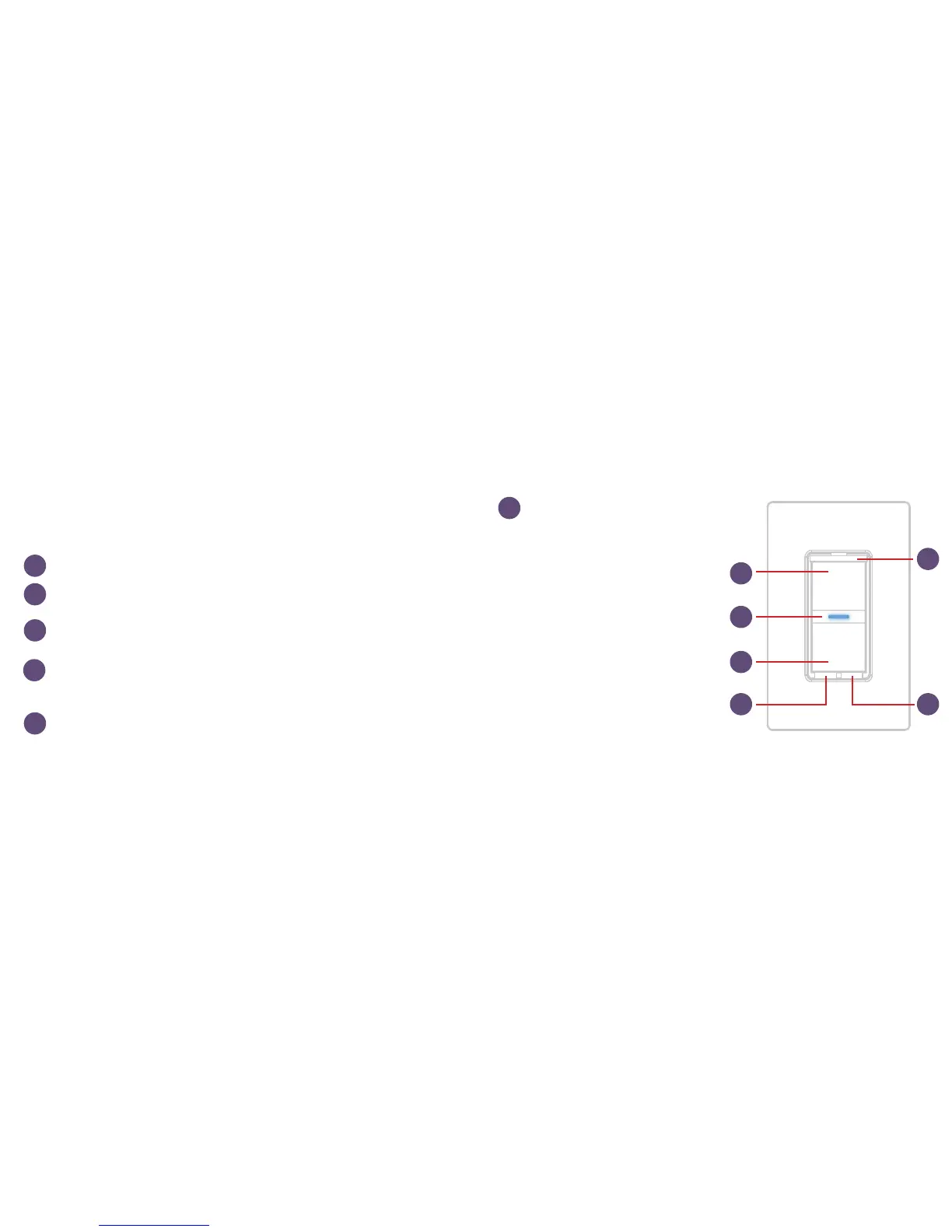
Turn Light On. Used also for 3-way, 4-way pairing.
Turn Light Off. Used also for connecting to the Wi-Fi
®
network.
Status LED/Night Light. Provides setup status and used as a night light
during operation. Refer to LED color codes on page 42.
Pull Out Tab. Refer to this when prompted to enter your HomeKit™
setup code during the setup on a iOS device. Also used to document the
Wall Switch as the Primary or Secondary in a 3-way or 4-way conguration.
Device Reboot. Pressing this cycles power to the device.
Pairing Setup Button. Used to
wireless pair between multiple
Wall Switches for 3-way and 4-way
congurations and for connecting
to the Wi-Fi network.
DEVICE RESET: Press and hold for
10 seconds until LED blinks red.
1
1
6
4
4
2
2
5
56
3
3


 To Next Page