Need help?
Do you have a question about the iDevices SWITCH and is the answer not in the manual?
Physical setup steps for the iDevices Switch, including unboxing and plugging in.
Procedure for performing a soft or hard factory reset on the iDevices Switch.
FCC compliance statement, outlining conditions for operation and interference.
Industry Canada compliance statement, outlining conditions for operation and interference.
 General
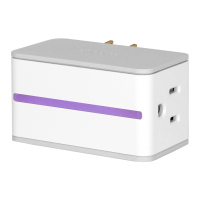
| Type | Smart Plug |
|---|---|
| Connectivity | Wi-Fi |
| Power Monitoring | Yes |
| Remote Access | Yes |
| Scheduling | Yes |
| Frequency Band | 2.4 GHz |
| Input Voltage | 120V AC |
| Maximum Current | 15A |
| Maximum Power | 1800W |
| Voice Control | Yes |
| Indoor/Outdoor | Indoor |
| Night Light | Yes |
| Night Light Color | Customizable RGB |
| Control | App, Voice |
| Compatibility | iOS |
| Operating Temperature | 0°C to 35°C |
| Features | Energy Monitoring, Scheduling, Voice Control, Night Light |
| Weight | 0.3 lbs |

 To Next Page