EasyManua.ls Logo

Idexx VETLAB UA - User Manual

Idexx VETLAB UA
38 pages
Print Icon
To Next Page IconTo Next Page
Loading...
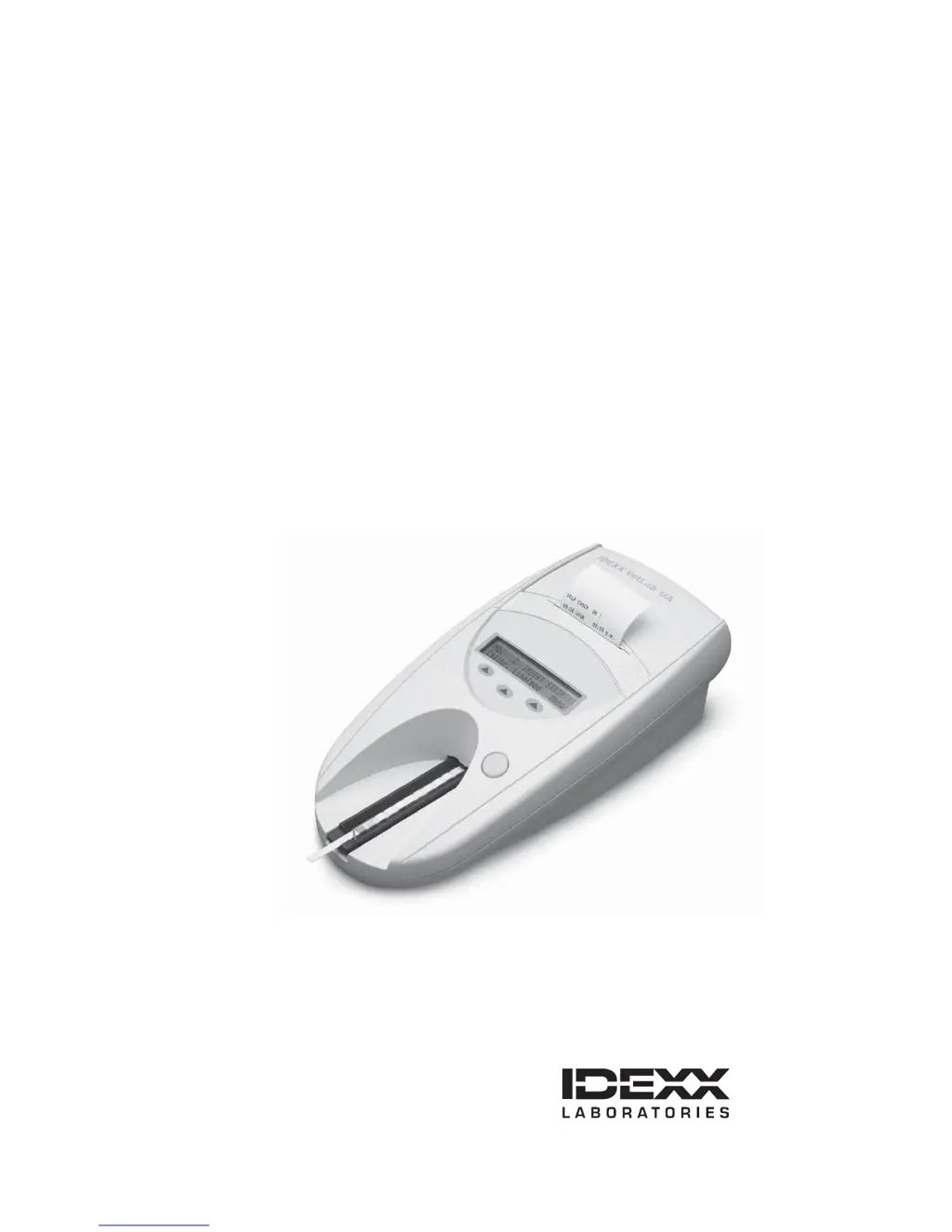
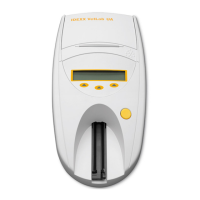
IDEXX VetLab* UA* Analyzer
Operator’s Guide
English Version

Questions and Answers

  • S
    Samuel SantanaAug 18, 2025
    What to do if Idexx VETLAB UA shows E13 Printer Error?
    • J
      Jeremy SalinasAug 18, 2025
      If you see an E13 Printer Error on your Idexx Measuring Instruments, it indicates a paper jam. To resolve this, turn off the analyzer, open the cover by pressing the raised dots immediately below and to the right of the paper slot, clear the paper jam, then turn the analyzer back on and wait for the self-check process to complete.
  • J
    Joan StarkAug 21, 2025
    What to do if Idexx VETLAB UA shows E2 Wrong Strip?
    • G
      gouldteresaAug 21, 2025
      If the Idexx Measuring Instruments displays an 'E2 Wrong Strip' error, it could be due to using a non-IDEXX UA Strip or incorrect strip placement. Try repeating the test with an IDEXX UA Strip or an IDEXX VetLab UA Calibration Strip. Ensure the test strip is properly aligned in the middle of the tray before processing.
  • C
    castrocherylAug 23, 2025
    What to do if Idexx VETLAB UA shows E3 Strip Measurement Error?
    • M
      Mark RamosAug 23, 2025
      If you receive an 'E3 Strip Measurement Error' on your Idexx Measuring Instruments, this may be due to a few reasons. Here's what to do: * If no test strip is present, test the urine sample using an IDEXX UA Strip. * If the test strip is not properly positioned, repeat the test using a new IDEXX UA strip, ensuring it's aligned in the middle of the tray. * If the urine on the test strip has dried, repeat the test using a new IDEXX UA strip. * If the pads on the test strip were not completely moistened, repeat the test using a new IDEXX UA strip ensuring all test pads are fully moistened.
  • L
    Luke HillAug 26, 2025
    What does E6 Chip Error mean on Idexx Measuring Instruments and how to fix it?
    • S
      Sara CaldwellAug 26, 2025
      An 'E6 Chip Error' on your Idexx Measuring Instruments indicates that the software code plug is either missing, not inserted properly, or damaged. Here’s how to address it: 1. Turn off the analyzer. 2. Open the cover by pressing the raised dots immediately below and to the right of the paper slot. 3. Remove the software code plug and reinsert it, or insert it if it was missing. 4. Power on the analyzer and wait for the self-check process to complete.
  • A
    Amy HenryAug 27, 2025
    Why Idexx Measuring Instruments showing E1 Reference Pad Error and how to resolve it?
    • D
      dylan09Aug 28, 2025
      The 'E1 Reference Pad Error' on your Idexx Measuring Instruments indicates that the gray reference pad on the test strip tray is either soiled or damaged. To fix this: 1. Turn off the analyzer. 2. Remove the test strip tray. 3. Carefully clean and dry the tray. 4. Recalibrate the analyzer using an IDEXX VetLab UA Calibration Strip. If the notification persists, contact IDEXX Technical Support to obtain a replacement test strip tray.
  • S
    Sydney MaysAug 30, 2025
    How to resolve E7 Missing Tray error on Idexx Measuring Instruments?
    • M
      Michael SavageAug 30, 2025
      The 'E7 Missing Tray' error on your Idexx Measuring Instruments means the test strip tray isn't inserted correctly. To fix it, turn off the analyzer, remove the test strip tray, and reinsert it with the retaining bar nearest to you, ensuring the edge of the tray is flush with the edge of the analyzer. Then, power on the analyzer and wait for the self-check process to complete.
  • S
    smithandrewSep 1, 2025
    What to do if Idexx VETLAB UA Measuring Instruments showing E4 Calibration Error?
    • R
      Robert GomezSep 1, 2025
      If your Idexx Measuring Instruments displays an 'E4 Calibration Error', it means the calibration values differ from the last valid calibration. Repeat the calibration with a new IDEXX VetLab UA Calibration Strip.
  • P
    pwilliamsSep 3, 2025
    What does E14 Interface Error mean on Idexx VETLAB UA Measuring Instruments and how to resolve it?
    • Q
      qthomasSep 3, 2025
      An 'E14 Interface Error' on your Idexx Measuring Instruments means that data did not transfer to the IDEXX VetLab Station or the analyzer is not connected to the IDEXX VetLab Station. To solve the problem: * Verify that the analyzer interface option is set to bidirectional mode, check that the data cable is properly connected, and ensure the IDEXX VetLab Station is ready to receive data. You can also manually send the results to the IDEXX VetLab Station or press the Start button to return the analyzer to the ready-to-measure mode. * If the analyzer is not connected to the IDEXX VetLab Station, set the interface option to unidirectional mode.
  • A
    anthonybryanSep 6, 2025
    What to do if Idexx VETLAB UA Measuring Instruments shows E5 Calibration Invalid?
    • J
      Jessica CarterSep 6, 2025
      If the Idexx Measuring Instruments displays an 'E5 Calibration Invalid' error, it means that the calibration values are out of tolerance. To resolve this, turn off the analyzer and remove the test strip tray. Carefully clean and dry the tray. If the notification persists, contact IDEXX Technical Support to obtain a replacement test strip tray.
  • E
    Edgar ProctorSep 8, 2025
    How to fix E10 Light Barrier Error on Idexx VETLAB UA Measuring Instruments?
    • G
      gibsondavidSep 8, 2025
      If your Idexx Measuring Instruments shows an 'E10 Light Barrier Error', it means the light barrier used to control the position of the test strip tray is defective or the tray transport is blocked. To attempt a fix, turn off the analyzer, remove the test strip tray, and reinsert it with the retaining bar nearest to you, ensuring the edge of the tray is flush with the edge of the analyzer. Then, turn on the analyzer and wait for the self-check process to complete. If the error persists, contact IDEXX Technical Support for assistance.

Summary

Preface

Safety Precautions

Essential safety guidelines for operating and handling the IDEXX VetLab UA Analyzer to prevent damage or injury.

International Symbol Descriptions

Explains international symbols used on the analyzer and product packaging for clear user understanding.

Getting Started

Introduction

Overview of the IDEXX VetLab UA Analyzer, its purpose, and capabilities.

IDEXX VetLab* Station Connectivity

Details how connecting the UA analyzer to the IDEXX VetLab Station enhances data management and reporting.

Components

Identifies and describes the physical parts and features of the IDEXX VetLab UA Analyzer.

How it Works

Explains the electro-optical process used by the analyzer to read and interpret test strips.

Installing the IDEXX VetLab UA Analyzer

Step-by-step instructions for unpacking and setting up the IDEXX VetLab UA Analyzer.

Connecting to the IDEXX VetLab Station

Instructions for linking the UA analyzer to the IDEXX VetLab Station for automatic data transfer.

Powering on the Analyzer

Procedure for powering on the analyzer, performing self-checks, and completing initial calibration.

Using the IDEXX VetLab UA Analyzer

Overview

Introduction to the analyzer's display menu, function keys, and operating modes.

Self-Check

Describes the automatic self-check function that runs upon powering on the analyzer.

Reading IDEXX UA Strips

Detailed steps for preparing and inserting test strips for accurate urinalysis results.

Sending Results to the IDEXX VetLab Station Computer

Explains automatic and manual data transmission of results to the IDEXX VetLab Station.

Patient Report Printout

Describes the information contained in the patient report printout and best practices for its storage.

Modifying the Settings on the Analyzer

Overview

Introduces how to customize analyzer settings to meet specific practice needs.

Using the Memory Options

Details managing stored results, clearing memory, and printing stored results.

To Manually Send Results to the IDEXX VetLab Station

Steps for manually transmitting stored results to the IDEXX VetLab Station when needed.

Restarting the Sample Numbering

How to reset the sample sequence numbering to start from 1 for a new series.

Modifying the Interface Options

Setting the analyzer's communication mode (unidirectional or bidirectional).

Printing Settings

Adjusting printer output options, including turning it on, off, or printing multiple copies.

Selecting Units of Measurement

Choosing between conventional, SI, or arbitrary units for displaying analysis results.

Changing the Reflectance Range Limits

Modifying reflectance ranges, intended for authorized support personnel only.

Changing the Display Language

Setting the display language for the analyzer interface from available options.

Selecting Parameter Options

Customizing the order and selection of parameters for patient report printouts.

Changing the Date;Time

Adjusting the analyzer's internal date and time settings for accurate record-keeping.

Maintenance

Overview

Overview of essential maintenance tasks for optimal analyzer performance.

Cleaning the Test Strip Tray

Detailed procedure for cleaning the test strip tray to ensure accurate readings and prevent errors.

Calibrating the IDEXX VetLab UA Analyzer

Instructions for performing weekly calibration using calibration strips for optimal analyzer performance.

Calibration Notifications

Explains error notifications related to calibration and provides troubleshooting steps.

Cleaning the Case

Guidelines for safely cleaning the exterior casing of the IDEXX VetLab UA Analyzer.

Replacing the Printer Paper

Procedure for loading or replacing the thermal printer paper roll to ensure print functionality.

Upgrading the Software

Information on how to install updated software for new features and improvements.

Troubleshooting

Analyzer Notifications

Lists common analyzer notifications, their causes, and recommended actions for resolution.

Appendix

Technical Specifications

Provides detailed specifications for the IDEXX VetLab UA Analyzer, including dimensions, power, and operating conditions.

Safety Information

Important safety compliance information, warnings, and operational precautions for the analyzer.

IDEXX Technical Support Contact Information

Contact details for IDEXX technical support and sales representatives in various regions.

Idexx VETLAB UA Specifications

General IconGeneral
BrandIdexx
ModelVETLAB UA
CategoryMeasuring Instruments
LanguageEnglish

Related product manuals