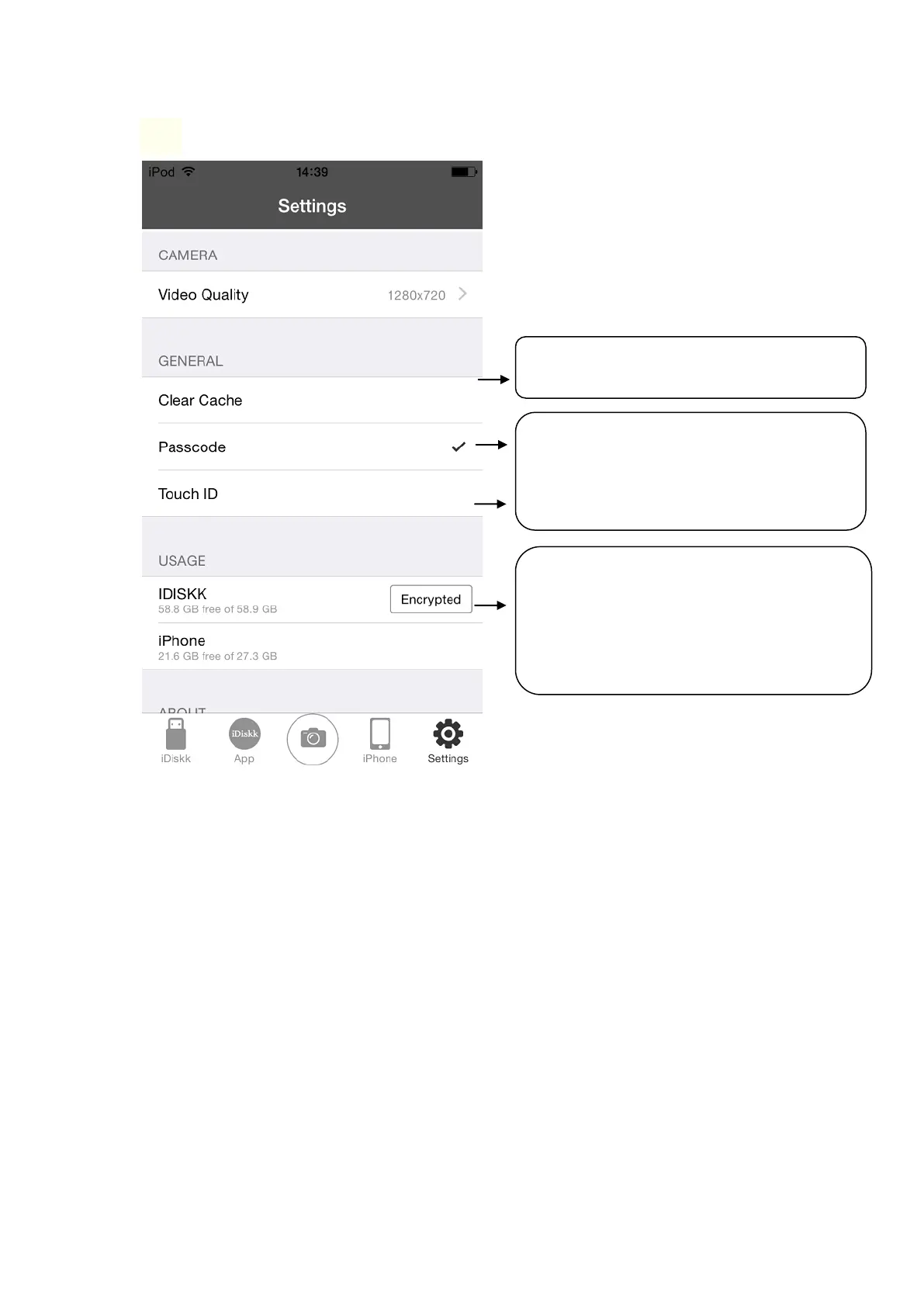
❼ Advanced Functions
NOTE:
① When you activate the ‘PASSCODE’, you need to input the passcord
before you use the iDiskk app.
② When you activate the function ‘Encrypted’, the encrypted folder will not
be seen while using the USB drive on your PC but you can see it on your
phone idiskk app.
FAQ:
Q: Does it have transfer limitation at one time?
A: No, there isn’t transfer amounts limit. But decide by the capacity of your flash
drive.
We tested transfer 1500+ picture and video files from iphone to flash drive one
time. It works without any problem.
It will produce cache while transferring file,
you can clear them at any time.
‘Passcode’ can lock the ‘iDiskk Pro’ app.
After setting this up, you need to enter
passcode to unlock when using the app. *①
‘Touch ID’ for unlock app by fingerprinting.
Here is for encrypting folder in iDiskk by
password.
After you setting the password, it shows
‘Encrypted’ and you can go to set any folder in
iDiskk section encrypted. *②



 To Next Page