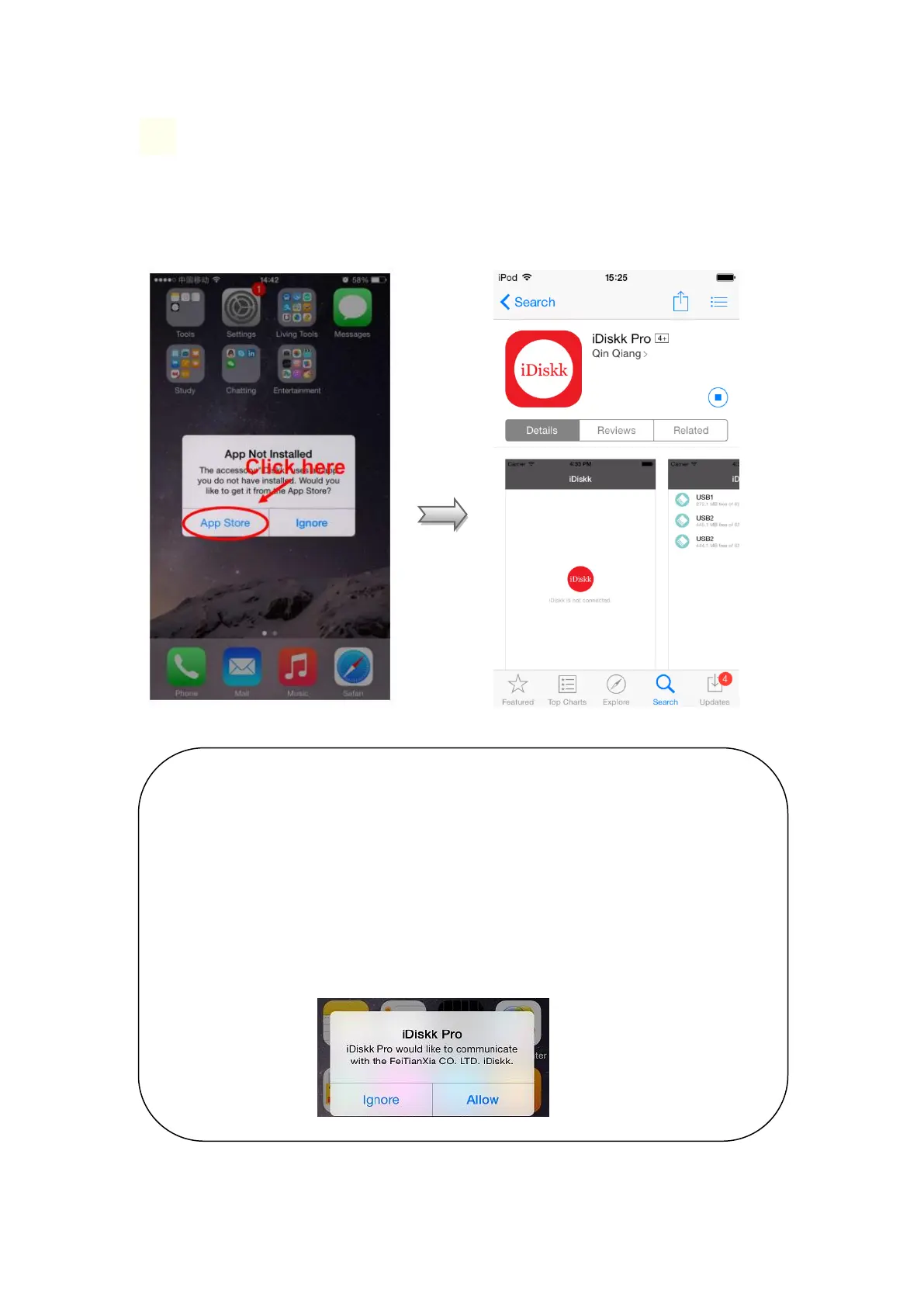
❶ Install the App
When connecting the iDiskk Flash Drive for the first time, it will pop up the installation
reminder. Please click App Store for downloading it. You can also download the app from
the Apple App Store. Just search for ‘iDiskk Pro’.
NOTE:
It is normal that you will receive this asking message when every time plugging
the flash drive to your iPhone or iPad. iDiskk (Manufacturer: FeiTianXia CO.
LTD.) is MFI certified by Apple and this message is required for any connected
external device.
When you choose ‘Allow’, it will open the App automatically for you.
When you choose ‘Ignore’, nothing happens and you need to open the App by
yourself.



 To Next Page