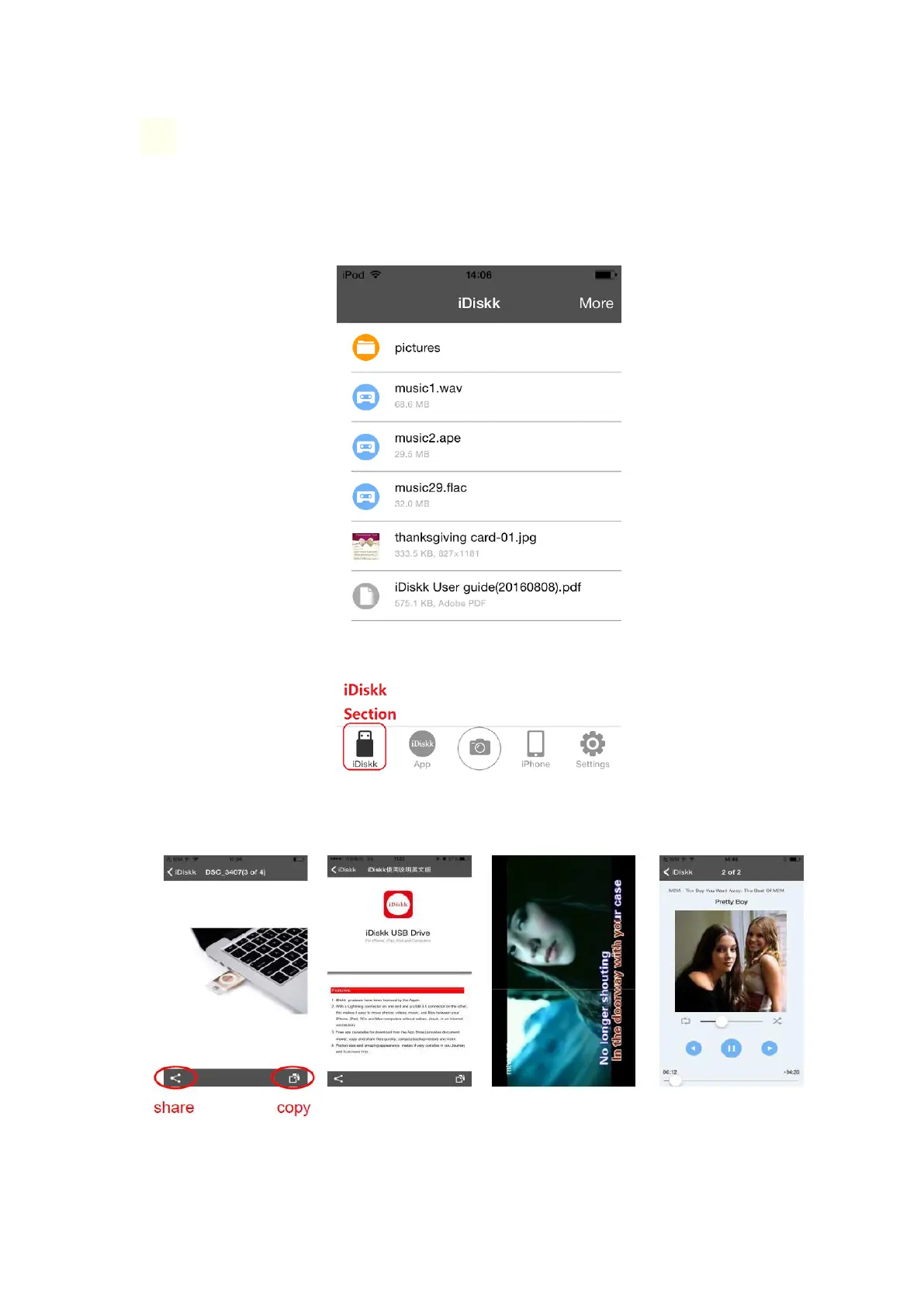
❷ Introduction of ‘iDskk’ Section
All files stored in the flash drive will be shown here.
You can view photos, play music and video files via the built-in player directly. It
supports most popular formats. (You can check specification diagram above)
1. If you want to share, copy and move files, please click the marked button for next
operation.



 To Next Page