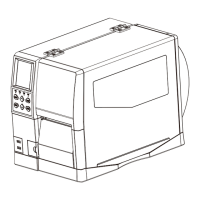
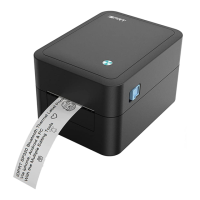
This document is a service manual for the ID4/IE4 Series Label Printer, providing comprehensive information for periodic inspections and maintenance procedures. It is intended for service personnel with a basic understanding of the English language.
Function Description
The ID4/IE4 Series Label Printer is designed for printing labels. The manual details the replacement of various modules and provides troubleshooting steps for common issues, ensuring the printer's continued operation and reliability.
Important Technical Specifications
While specific technical specifications like print resolution, speed, or connectivity are not explicitly detailed in the provided excerpts, the manual focuses on the modular design and serviceability of the printer. Key modules include:
- Print Header Module: The core component responsible for printing.
- Platen Module: Essential for guiding and pressing the label media during printing.
- Motor Module: Drives the paper feed mechanism.
- Main-Board, Core-Board, and Button-Battery Module: These comprise the printer's central processing and control units, including power management for the main board and a button battery for maintaining settings.
- Display Module: Provides user interface and status information.
- Power Switch Module: Controls the printer's power on/off state.
- Arrow Key Module & Feed Button Module: User input interfaces for navigation and manual paper feed.
- Upper and Lower Photoelectric Modules: Sensors crucial for detecting paper presence and position.
- Micro Switch Module: Detects various mechanical states within the printer.
- Ribbon Detection Module: A sensor specifically for ribbon-related functions in thermal transfer models.
- Left and Right Roll Holder Module: Supports the label media roll.
- IWLM Module (WIFI/Bluetooth): Provides wireless connectivity options.
- Cutter Module: An optional module for automatically cutting labels.
- Peeler Module: An optional module for peeling labels from their backing.
- Power Cord & Power Adapter: External components for power supply.
- External Paper Roll Stand: An accessory for holding larger label rolls.
Usage Features
The manual primarily covers maintenance and troubleshooting, not end-user operation. However, the presence of components like the "Display Module," "Arrow Key Module," and "Feed Button Module" indicates a user-friendly interface for basic operations and status monitoring. The "External Paper Roll Stand" suggests the printer can handle various label roll sizes, enhancing its versatility for different applications. The "WIFI/Bluetooth (iWLM) Module" implies advanced connectivity features, allowing for wireless printing and integration into modern network environments.
Maintenance Features
The ID4/IE4 Series Label Printer is designed with modularity in mind, making maintenance and parts replacement straightforward. The manual provides detailed, step-by-step instructions for disassembling and reassembling various modules.
Key Maintenance Aspects:
- Modular Replacement: The printer's design allows for the replacement of individual modules (e.g., Print Header, Motor, Main-Board, Display, Sensors, etc.) rather than requiring a complete unit replacement for many issues. This approach simplifies repairs and reduces downtime.
- Detailed Disassembly/Reassembly Instructions: Each module replacement section includes clear instructions and diagrams for unscrewing components, separating parts, and reassembling them. For example, replacing the Print Header Module involves opening the top cover, pressing and sliding the print header, removing it from its bracket, and unscrewing ground wires.
- Troubleshooting Guide: A dedicated "Troubleshooting" chapter helps service personnel diagnose problems efficiently. It categorizes issues by "Phenomenon" (e.g., Power Supply Failure, Faulty Sensor, Printing Failure, Paper Feed Failure), lists potential "Causes," describes "Check Methods" to verify the cause, and provides "Remedies."
- Safety Precautions: The manual emphasizes critical safety measures during maintenance, such as turning off power, wearing safety gloves to prevent injury and rust, avoiding service with wet hands to prevent electric shock, and wearing a wristband to prevent electrostatic discharge damage. These precautions are vital for both technician safety and device protection.
- Parts List: A comprehensive "Parts List" with drawing numbers, part names, quantities, and remarks (including information on revised or added parts) is provided to facilitate accurate ordering of replacement components.
- Specific Module Guides: For complex replacements like the Print Head, Cutter, Peeler, and WIFI/Bluetooth modules, the manual refers to "Quick Start Guides," indicating that more detailed, specialized instructions are available for these critical components.
- Sensor Diagnostics: The troubleshooting section highlights the importance of sensors (e.g., paper sensor, photoelectric detection) in diagnosing issues like paper feed failures or irregular printing. It guides technicians to check sensor functionality and connections.
- Mechanical Checks: Instructions include checking for foreign substances in gears, paper jams, and proper mounting of components like the platen, indicating a focus on mechanical integrity.
- Electrical Checks: Troubleshooting involves verifying power connections, power switch functionality, and cable connections for various modules (e.g., thermal head connector, motor connector, paper sensor connector).
The overall design and documentation suggest a strong emphasis on maintainability, allowing service personnel to efficiently identify, replace, and repair components, thereby extending the printer's lifespan and ensuring reliable performance.

 Need help?
 General

 To Next Page