User Manual
Page 10
ID station User Manual
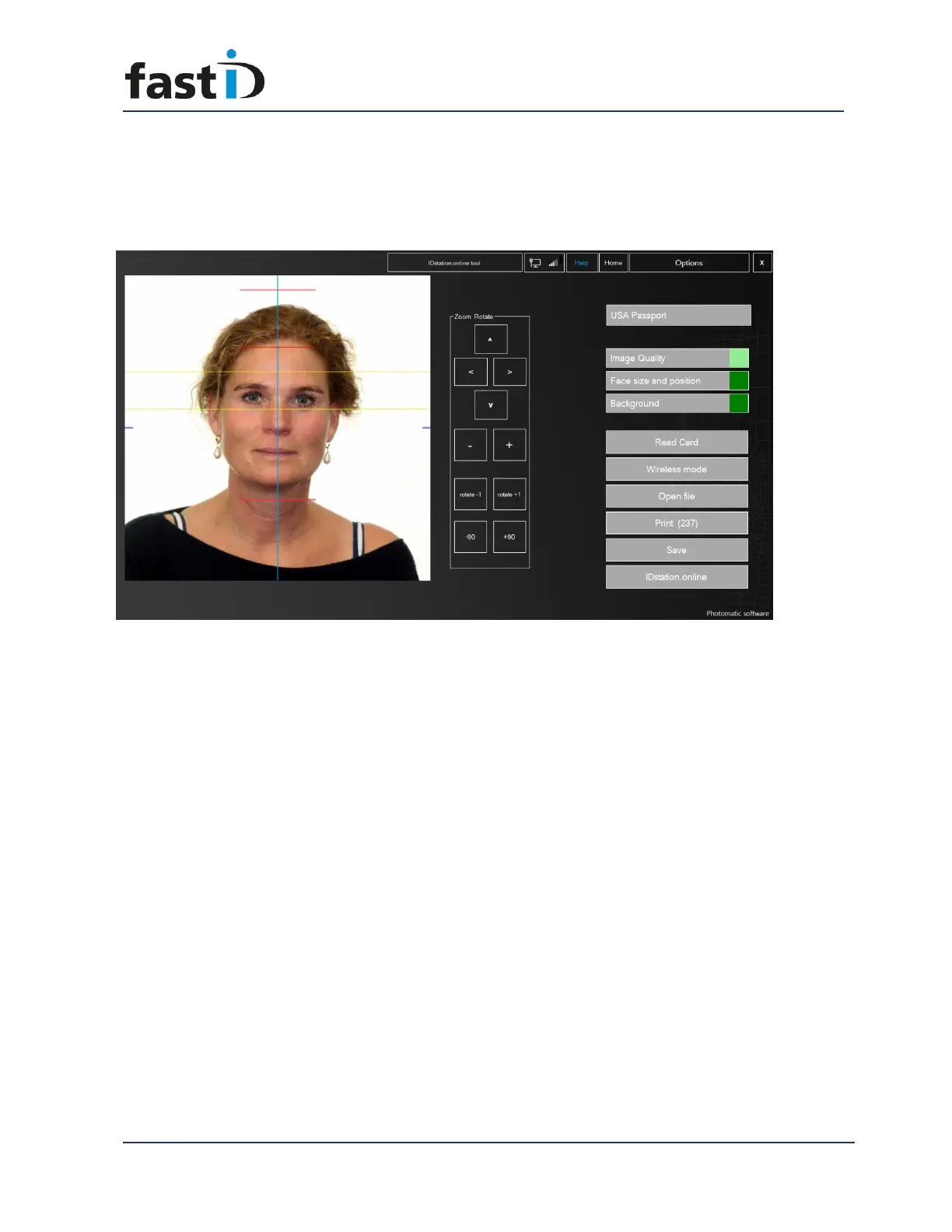
Now the software will run a full quality test. It will check if the automatically generated
passport photo meets the official requirements for Image quality, Face size and
position and background color and uniformity. All these requirements are described by
the ICAO, sometimes with extra local requirements.
The results are shown as green or red squares. You can click on the buttons to further
inspect the results of the tests. If one of tests failed the square will be red and you
should click on the appropriate button to check….


 To Next Page