User Manual
Page 13
ID station User Manual
Chapter 6. Print
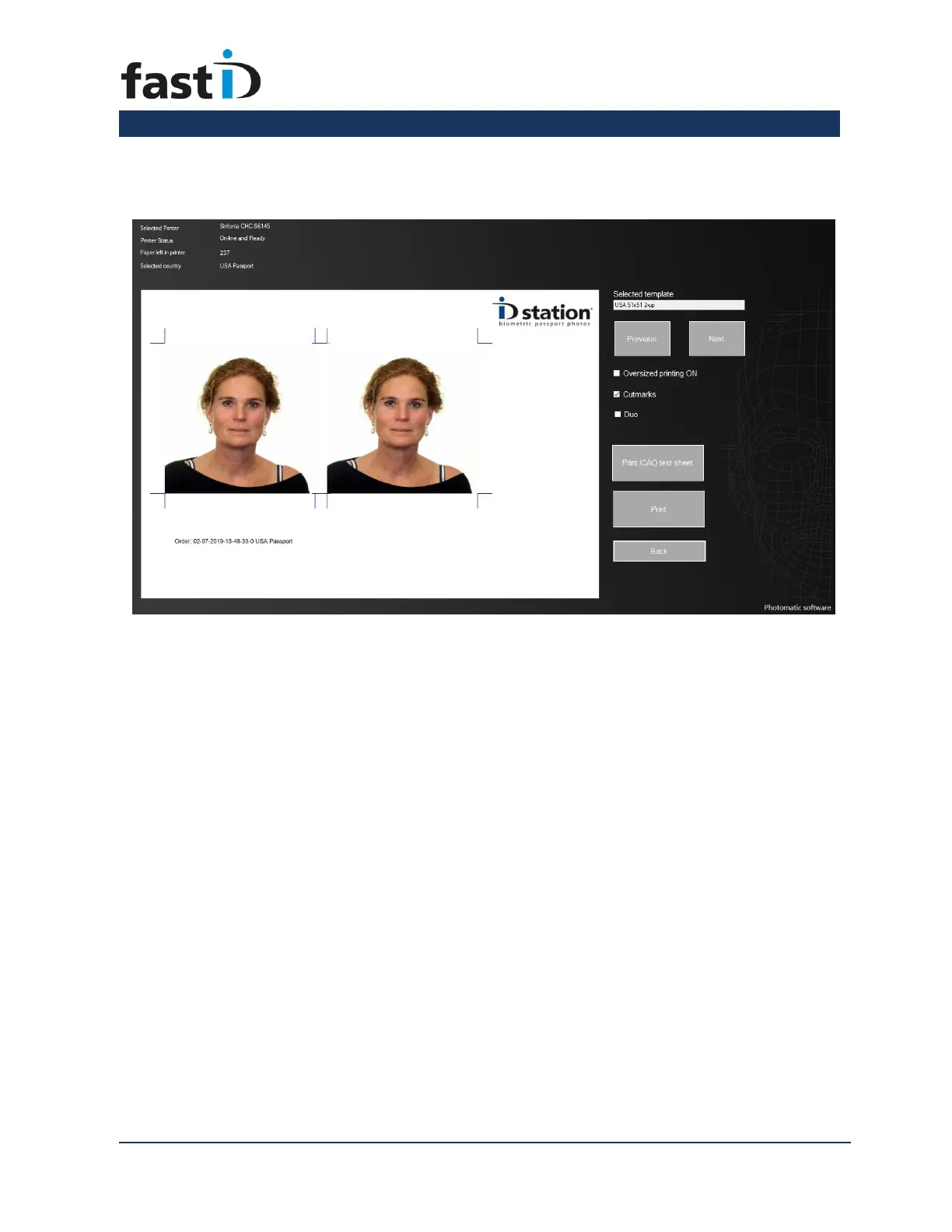
Printing the photo is really simple. Click on the "Print" button . Now you’ll see a
preview of what will be printed. This depends on the selected print “template”.
fastID contains many print templates. If you want to select another print template,
instead of printing the default one, click on “Previous” or “Next”.
To print the preview just click on the “Print” button. You can also print the ICAO test
report of this passport photo.
There are a few options such as “oversized” (print the passport photos a little larger) or
with cutmarks. The DUO is an option to print two sets of ID photos on one sheet of
paper. This option is typically used to print ID photos of someone with and without
glasses or to print official passport photos and a “nice” photo with a smiling person.


 To Next Page