Need help?
Do you have a question about the iENYRID iE-M4 PRO S+ and is the answer not in the manual?
Explains the importance of reading the manual for proper use and understanding features.
Provides crucial safety warnings and disclaimers regarding operation and maintenance responsibilities.
Emphasizes wearing a helmet and protective gear for injury prevention.
Outlines pre-ride checks for screws, tires, wheels, and brakes for safe operation.
Stresses the necessity of fully charging the battery before the initial use of the scooter.
Details the step-by-step process for charging the scooter's battery safely and correctly.
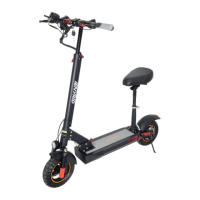
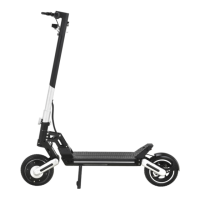
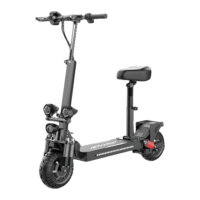
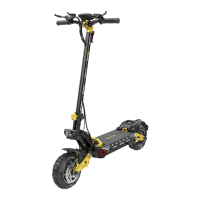
The iENYRID iE-M4 PRO S+ is an electric scooter designed for personal transportation, emphasizing safety, performance, and user convenience. It is built with an aluminum alloy frame and features a foldable design for portability.
The iENYRID iE-M4 PRO S+ serves as a personal electric scooter for urban commuting and recreational riding. It is designed to provide an enjoyable and efficient mode of transport with various safety and operational features. The scooter is equipped with a display screen that shows essential information such as gear, mileage, real-time speed, battery display, and fault codes. It includes controls for headlights, horn, turn signals, and an accelerator for speed control. The folding mechanism allows for easy storage and transport.
Model: iE-M4 PRO S PLUS Tire Size: 10 inch Battery: 48V/12.5Ah Tyre Type: Off-road Air tires Power: 800W Charging Time: 6~8 hours Display Screen: Color Frame Material: Aluminum alloy Max Speed: 25-45KM/H Net Weight: 23.15KG Range: 20-30KM Gross Weight: 27.65KG Max Load: 150KG Package Size: 1192549cm Brake System: Front and rear disc brake Lighting: Front LED headlights, side lights, and tail lights Adapter: Input 100-240 V~50/60Hz 2.5A, Output 54.6 V 2.0A
The maximum load and speed may vary depending on the rider's weight, riding style, and terrain.
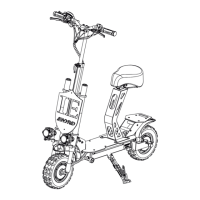
Product Installation: The scooter requires some assembly upon unboxing. This involves lifting and tightening the handlebar, ensuring it is fixed, and then pressing a folding button to unfold the vehicle body until a clicking sound indicates it is locked. The seat tube also needs to be installed by pressing a buckle inward, locking the seat pipe buckle, unfolding the seat buckle, and finally inserting and locking the seat. The vertical pole buckle is then released to adjust the upright pole to the appropriate height, and then locked.
Power On & Unlock: To power on, long-press the power button. To enter the password input interface, press the power button. To enter the three-zero password, press the power button three times. To unlock the scooter, press the power button twice. The unlocking process is brief, and the screen may turn off if not unlocked within the specified time, a feature designed to prevent theft. Users who forget their password should refer to the manual.
Product Folding: To fold the scooter, press the buckle safety device outward with fingers. The rotating buckle safety device should be visible. Squeeze the front and rear brakes with both hands and step on the folding buckle with your feet. Then, quickly and forcefully press down. After this, the handlebar can be lifted, tightened, and then folded to complete the process.
Safe Driving Warning: Users are advised to read the manual carefully before riding. It is crucial to understand the functions and features of the scooter to ensure an enjoyable and safe ride. Comprehensive safety measures, risk awareness, and good judgment are essential to avoid injuries. Users must wear a helmet, protective gear, and other safety measures. Local laws and regulations must always be followed. Stunts, spins, or jumps are not recommended; if performed, full protective measures should be taken.
Tire Air Pressure: The tires should be pressurized to the standard value indicated on the tire.
Mechanical Safety: Before each use, a visual inspection of all screws and nuts should be performed to ensure they are tight and in place. Any issues or missing parts should be reported to the seller. The tires and wheels should be checked for wear and tear, and the brake mechanism should not touch the wheels, allowing free spinning. Mechanical checks of brakes and other parts are necessary to ensure visibility, safety, and functionality.
Battery & Charging: The battery should not be charged indoors. The scooter should not be turned on or operated while charging. The battery must be kept away from children, pets, or direct heat and should not be exposed to high temperatures or pressure. Only the charger included with the scooter should be used. Batteries should not be discarded improperly to avoid environmental pollution. The scooter should not be stored for long periods with an almost empty battery. Periodically, the battery should be discharged by riding and then recharged, ensuring it is not left fully empty.
Charging Conditions: Do not charge the scooter if the battery leaks, is damaged, heats up, is deformed, or if the bottom or overall deck overheats. Using, storing, or charging the battery outside specified limits may void the warranty, damage the battery, and affect charging efficiency.
First Charge: It is important to fully charge the battery before the first use. The battery has built-in protection features:
How to Charge:
Error Code Diagnostics: The manual provides a table of error codes (e.g., 3E for Phase fault, 4E for Low voltage protection, 5E for Brake lever failure, 6E for Motor Hall failure, 7E for Accelerator failure, 8E for Controller failure, 10E and 15E for Communication failure) along with diagnostic steps and solutions. For example, a "Phase fault" (3E) requires checking motor wire connections, while a "Low voltage protection" (4E) indicates the battery is used up and needs charging.
After Sales Support: Users are encouraged to visit the official website for video installation tutorials and after-sales parts replacement videos. Customer support is available via WhatsApp and email.
Limited Warranty: The product comes with a limited warranty. Users must read the warranty terms and "care and maintenance" sections in the manual. The warranty does not cover faults caused by failure to maintain, improper driver operation, misuse, traffic accidents, riding on abnormal roads, natural disasters, tampered serial numbers, unnotified defects during the warranty period, commercial use, high-risk actions (stunts, spinning, jumping), prolonged exposure to sun or outdoors, improper storage, moisture, dampness, modifications, or repairs not carried out by iENYRID or its authorized centers.

 To Next Page
 General