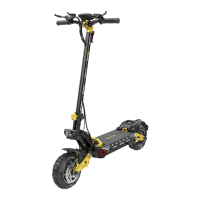
This document is a user manual for the iENYRID iE-M4 Electric Scooter. It provides instructions for assembly, operation, maintenance, and safety, along with product specifications and warranty information.
Function Description
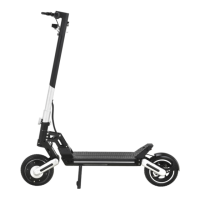
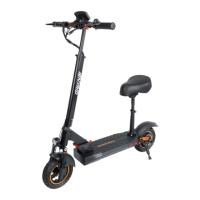
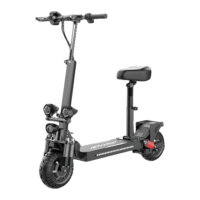
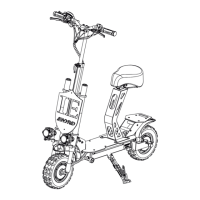
The iENYRID iE-M4 is an electric scooter designed for personal transportation. It features a foldable design for portability and includes various safety features and controls for an enjoyable ride. The scooter is powered by a battery and operated via an accelerator lever and brake levers. It includes an instrument panel for displaying information such as speed, gear, battery level, and total mileage.
Important Technical Specifications
- Model: iE-M4
- Tire Size: 10 inch
- Battery: 48V/10Ah
- Tyre Type: Off-road Air tires
- Power: 600W
- Charging Time: 6-8 hours
- Display Screen: Color
- Frame Material: Aluminum alloy
- Max Speed: 25-45 KM/H
- Net Weight: 22.5KG
- Range: 25-35KM
- Gross Weight: 27.7KG
- Max Load: 150KG
- Package Size: 1182550cm
- Brake System: Front and rear disc brake
- Lighting: Front LED headlights, side lights, and tail lights
- Adapter: Input 100-240 VAC 50/60Hz 2A, Output 54.6 V 2AMax
Usage Features
The iENYRID iE-M4 offers several features for ease of use and safety:
- Product Installation: The manual provides a step-by-step guide for installing the handlebars and seat, ensuring a secure setup. This includes lifting the handlebar, tightening and fixing it, ensuring handlebars are fixed, pressing the folding button to unfold the vehicle body, and confirming the vehicle is locked with a clicking sound. The seat installation involves correctly placing the buckle safety device, ensuring the folding buckle is securely locked, installing the seat tube by pressing the buckle inward, locking the seat pipe buckle, and inserting the connecting rod. Finally, the seat bag is put on, the small buckle is inserted for fixation, screws are tightened, and the seat is secured.
- Product Folding: The scooter is designed for easy folding. Users need to press the buckle safety device outward, squeeze the front and rear brakes, step on the folding buckle, and forcefully press down to fold the main body. The handlebars can then be turned out and put down to complete the folding process.
- Power On & Unlock: To power on, insert the key and turn it clockwise, then long-press the power button on the meter panel. To power off, press and hold the power button on the instrument panel, then turn the key counterclockwise. A warning is given not to turn the key counterclockwise without turning off the power first, as this will reset total cycling mileage data.
- Riding Safety:
- Start by placing one foot on the board and the other on the ground.
- Press the accelerator lever slightly to accelerate, then place both feet on the board once balance is achieved.
- Release the accelerator to slow down and squeeze the brake lever to stop.
- Tilt the body slightly in the desired direction to turn the handlebars.
- Avoid riding in the rain.
- Slow down on uneven surfaces and bend knees for stability.
- Do not accelerate downhill.
- Avoid hanging heavy objects on handlebars.
- Do not press the accelerator when walking.
- Do not ride on roadways.
- Avoid sudden turns at high speed.
- Do not ride in water deeper than 2cm.
- Do not ride with another person or a child.
- Do not step on the fender.
- Avoid touching the disc brake after frequent braking as it can become very hot.
- Keep hands on handlebars while riding.
- Do not ride upstairs or downstairs.
Maintenance Features
- General Maintenance: The manual emphasizes that proper and frequent maintenance is the user's responsibility and will reduce the risk of injuries.
- Safety Gear: Always wear a helmet, protective gear, and other safety measures when riding.
- Local Laws: Always follow local laws and regulations.
- Mechanical Safety Checks (Before Each Use):
- Visually inspect all screws and nuts to ensure they are tight and in place. Contact the seller if anything is amiss or missing.
- Check tires and wheels for wear and tear. Ensure the brake mechanism does not touch the wheels and allows free spinning.
- Perform mechanical checks of brakes and other parts for visibility, safety, and functionality.
- Battery & Charging:
- First Charge: Fully charge the battery before the first use.
- Charging Location: Do not charge indoors.
- Operation During Charging: Do not turn on or operate the scooter while charging.
- Safety Precautions: Keep the battery away from children, pets, or direct heat. Do not expose the battery to high temperature and pressure.
- Charger Use: Use only the charger included with the scooter.
- Environmental Responsibility: Do not throw away batteries to avoid polluting the environment.
- Storage: Do not store the scooter for long periods with an almost empty battery.
- Discharge/Recharge: Periodically discharge the battery by riding and then recharge it, ensuring it is not left fully empty.
- Conditions to Avoid Charging: Do not charge if the battery leaks, is damaged, heats up, is deformed, or if the bottom/overall deck overheats.
- Charging Process: Ensure the scooter is turned OFF. Connect the external power charger to the scooter, then connect the charger to an electrical outlet and turn on the power. Do not charge in temperatures below 5 °C or above 40 °C. The charger light will be RED when charging and GREEN when fully charged. Unplug the charger promptly after the battery is fully charged.
- Error Code Troubleshooting: The manual provides a table of error codes (E-0 to E-7) with corresponding faults, diagnostic steps, and solutions. These include issues with the meter, motor, trolley, controller, brake lever, under-voltage protection, and communication failures. Solutions typically involve checking connections, reconnecting plugs, and in some cases, replacing components like the meter, controller, or battery.
- Warranty: The product comes with a limited warranty. Faults caused by improper maintenance, driver operation, misuse, accidents, natural disasters, tampering with serial numbers, unnotified defects, commercial use, high-risk actions (stunts, spinning, jumps), prolonged exposure to sun/outdoor elements, or improper storage/modifications are not covered.
- After-Sales Support: The manual directs users to the official website for video installation tutorials and parts replacement videos. Customer support is available via WhatsApp and email.

 Need help?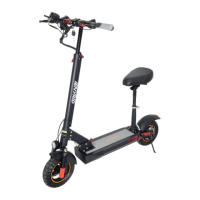

 To Next Page
 General