9
H
H
O
O
W
W
T
T
O
O
S
S
E
E
T
T
T
T
H
H
E
E
O
O
V
V
E
E
N
N
C
C
O
O
N
N
T
T
R
R
O
O
L
L
S
S
SETTING THE CLOCK
This is a 12 and 24 hour clock.
1. In standby mode, press Weight/Clock button nce, “Hr12”appears on the screen. If you want to set
24 hour clock, press Weight/Clock again.
2. Use the number pads to enter clock time.
3. Press Weight/Clock button to confirm.
MICROWAVE COOKING
Microwave cooking allows you to customize cooking power and time. First, you select a power level by
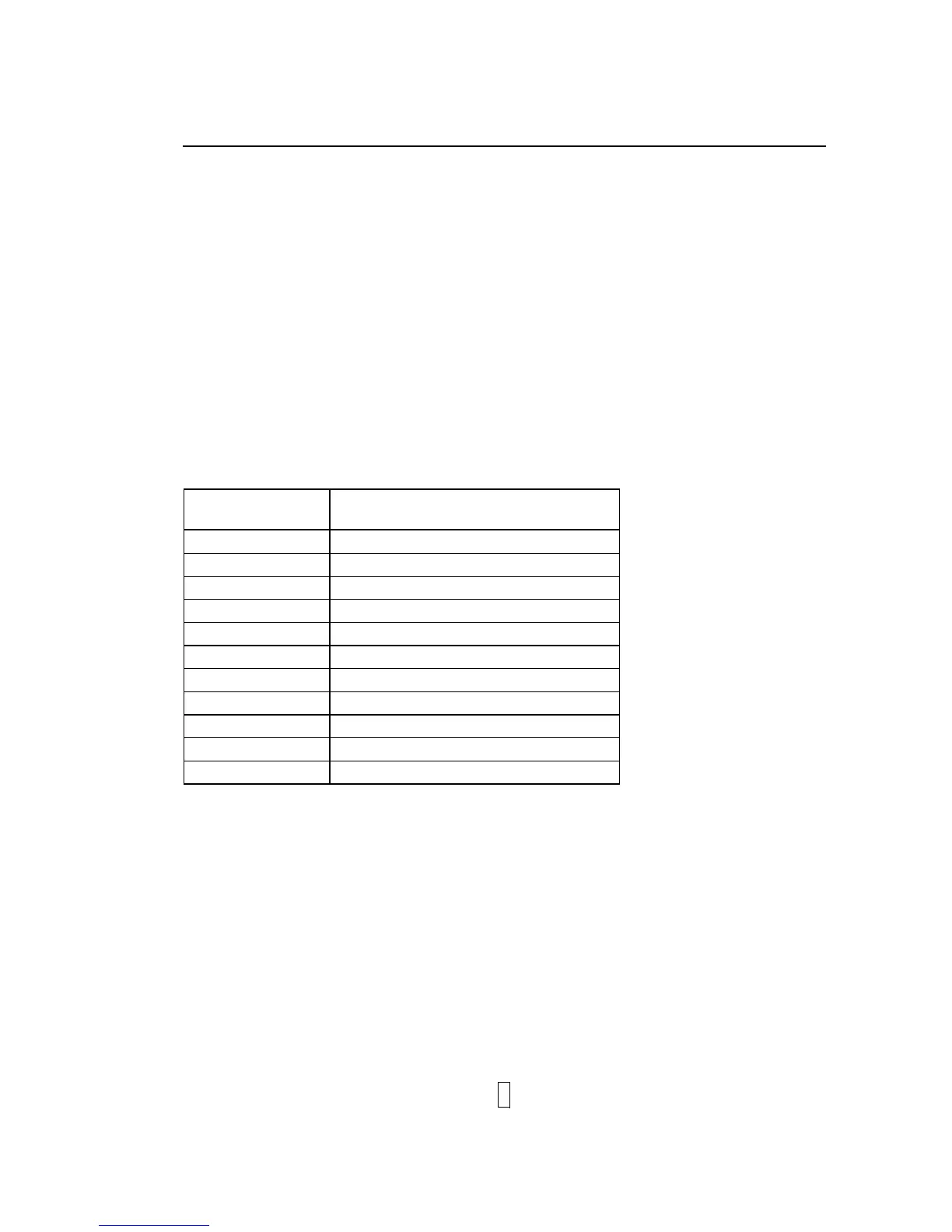
pressing the Micro.Power Level button (see the table below).
Maximum cooking time is 99 minutes and 99
seconds.
Suppose you want to cook for 5 minute at 60% power level.
1. Open the oven door and place the food, close it.
2. Press Micro.Power Level button a number of times till the screen show the intended power.
Press Micro.
Power Level button
Power Level
Once 100%(P100)
Twice 90%(P-90)
Thrice 80%(P-80)
4 times 70%(P-70)
5 times 60%(P-60)
6 times 50%(P-50)
7 times 40%(P-40)
8 times 30%(P-30)
9 times 20%(P-20)
10 times 10%(P-10)
11 times 0%(P-00)
3. Use the number pads to enter clock time.
4. Press Start/Quick Start button to start.
NOTE:
You can check the power while cooking is in progress by pressing the Micro.Power Level button.
After the cooking time ends, the system will beep once and End is displayed. Before starting
another cooking session, press any pad to clear the display and reset the system.
GRILL
&
MICRO.+GRILL
GRILL COOKING
Grill cooking is particularly useful for thin slices of meat, steaks, chops, kebabs, sausages and pieces of
chicken. It is also suitable for hot sandwiches and au gratin dishes.
Maximum cooking time is 99
minutes and 99 seconds.


 To Next Page