VII) Hotspot Selection
Turns the Hotspot on / o. After resetting, by default it will open for 1 minute and then close
automatically.
Tip: NEO Stream's hotspot has no external network functionality and is only used to connect the phone to the NEO Stream setup network.
VIII) Digital Filters
The following 4 digital lters are available:
'BP' Bit-Perfect: no digital ltering, no pre or post ringing
'STD' Standard, modest ltering, modest pre and post ringing
'MIN' Minimum phase, slow roll-o, minimum pre and post ringing
'GTO' Gibbs Transient-Optimised: up-sampled to 352.8/384kHz, minimum ltering, no pre
ringing, minimum post ringing
Note: If the GTO lter is selected, the display indicates the sample rate as 352.8kHz or 384kHz, illustrating the upsampling operation of this lter.
3. Network Status LED
LED Speed
lnternet White Fast
lnternet Cyan Slow
Local network (no lnternet) Green Fast
Local network (no lnternet) Yellow Slow
No connection Red -
11
Before using NEO Stream, review the NEO Stream User Manual at https://i-audio.com/product-guides/
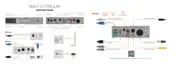
USB Output
4.4 BAL Analogue Line Output
12S Output
S/PDIF Optical Output
S/PDIF AES/EBU Output
RCA Analogue Line Output
S/PDIF Coaxial Output
3
Output
Amplifiers DACs Active Speakers


 To Next Page