13
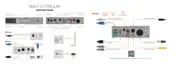
S/PDIF TOSLINK/RCA
*A power supply unit must be able to deliver minimum rated repetitive current.
Wi-Fi Set-Up
1
Connect Wi -Fi antenna and power supply
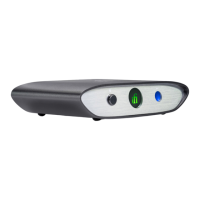
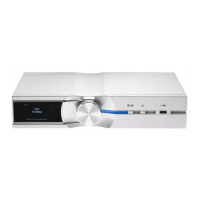
DAC, Amplier or Active Speakers via S/PDIF, RCA or USB
RCA
USB
Wi-Fi Antenna
2
Power on
3
Select Hotspot and set to ON
In your device’s Wi-Fi setting,
connect to ‘iFi-Streamer’
5
4
Enter “http://i.local” or
“192.168.211.1”
Enter “192.168.211.1”
6
Connect the iFi-Streamer to your local Wi-Fi network
Enter network password
and press Connect
IP address will show once connected
Your IP address
AIO Analogue
7
Network status LED
Connection speed
Fast (Internet)
Slow (Internet)
Fast (Local network)
Slow (Local network )
No connection
9
Go to Music Streaming section
8
Connect device back to local Wi-Fi network (If not already connected)
DC 9V/2.0A, 12V/1.8A, 15V/1.2A*


 To Next Page