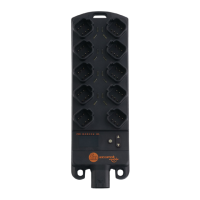
IO-Link Master with Modbus TCP Interface DataLine 4 Ports IP 65 / IP 66 / IP 67
>
9.2.4 IoT interface: Configure security mode
54683
The access to the IoT interface of the IO-Link master can be protected with a security mode:
Sub-structure: iotsetup
Available data points:
Password for authentication (Base64 coded)
rw ... read and write
w ... write only
Valid character set for the Base64 coding / decoding of the password: UTF-8
Online tool for coding / decoding: → www.base64encode.org
>
Note: Security mode
54684
The security mode enables restricting access to the IO-Link master and the connected IO-Link devices
from the IT network. In the activated security mode, the following restrictions apply:
Access only with authentication (password-protected user account)
Access only via secure https connection (Transport Layer Security - TLS)
The security mode only protects the access to the device via the IoT interface.
The standard value for users is: administrator
The set password cannot be read with getdata.
The current status of the security function can be read with the getidentity service (→ Service:
getidentity (→ S. 122)).
For the authentication, the user must additionally provide the POST requests with a valid user name
and password in the field "auth". The user name and the password will be shown as Base64-coded
character strings (→ Example: Request with authentication (→ S. 43)).
The following requests can be done if the security mode is enabled, also without authentication:
/getidentity
/deviceinfo/vendor/getdata
/deviceinfo/productcode/getdata


 To Next Page