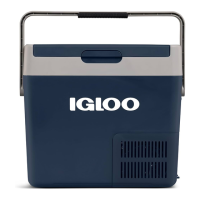
ICF18, ICF32, ICF40, ICF60, ICF80DZ Operation
15
6Operation
To avoid food waste, note the following:
• Keep temperature fluctuation as low as possible. Only open the cooling
device as often and for as long as necessary. Store the foodstuff in such a
way that the air can still circulate well.
• Adjust the temperature to the quantity and type of the foodstuff.
• Foodstuff can easily absorb or release odor or taste. Always store food-
stuff covered or in closed containers/bottles.
6.1 Before initial use
I
Opening or removing the lid (fig. 5, page 6)
➤ To open the lid, unlatch (A).
➤ To remove the lid, push the lid beyond the lid stop position (B).
Selecting the temperature units
Temperature display units can be switched between Celsius and Fahrenheit
as follows:
1. Switch on the cooler.
2. ICF18, ICF32, ICF40, ICF60: Press the “SET” button (fig. 3 5, page 4)
twice.
3. ICF80DZ: Press the “SET” button (fig. 3 5, page 4) three times.
4. Use the “UP +” (fig. 3 7, page 4) or “DOWN –” (fig. 3 6, page 4) buttons
to select Celsius or Fahrenheit.
✔ The selected temperature unit then appears in the display for a few sec-
onds. The display flashes several times before it returns to the current tem-
perature.
6.2 Saving energy
• Choose a well ventilated location which is protected from direct sunlight.
NOTE
Before starting your new cooler for the first time, you should clean
it inside and outside with a damp cloth for hygienic reasons (please
also refer to the chapter “Cleaning and maintenance” on page 23).
Igloo ICF18, ICF32, ICF40, ICF60, ICF80DZ_OPM_4445104001_APAC_en_202x-xx-xx.book Page 15 Thursday, September 28, 2023 6:55 PM



 To Next Page