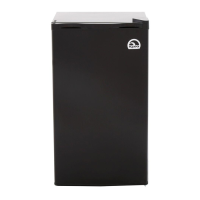
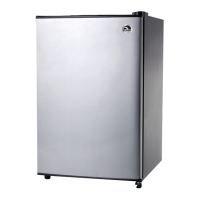
Troubleshooting ICF18, ICF32, ICF40, ICF60, ICF80DZ
24
➤ Occasionally clean the cooling device interior and exterior with a damp
cloth.
➤ Make sure that the air inlet and outlet vents on the device are free of any
dust and dirt, so that heat can be released and the device is not damaged.
8 Troubleshooting
Problem Possible cause Remedy
Device does not
function, LED does
not glow.
No voltage present in
the connected power
outlet.
Plugged in DC power outlet: In most
vehicles the ignition must be turned
on before power will be supplied to
the DC power outlet.
One of the device
fuses is defective.
Replace the defective device fuse,
see chapter “Replacing the device
DC fuse” on page 22.
The device does not
cool (plug is inserted,
“POWER” LED is lit).
Defective compressor. This can only be repaired by an
authorized repair center.
The device does not
cool (plug is inserted,
“POWER” LED
flashes orange, dis-
play is switched off).
Battery monitor is set
too high.
Select a lower battery monitor set-
ting.
Battery voltage is too
low.
Test the battery and charge it as
needed.
When operating from
the DC outlet:
The ignition is on
and the device is not
working and the LED
is not lit.
The DC outlet is dirty.
This results in a poor
electrical contact.
If the plug of your cooler becomes
very warm in the DC outlet, either the
DC outlet must be cleaned or the
plug has not been assembled cor-
rectly.
The fuse of the DC
plug has blown.
Replace the fuse in the DC plug, see
chapter “Replacing the DC plug fuse”
on page 22.
The device DC fuse
has blown.
Replace the defective fuse, see chap-
ter “Replacing the device DC fuse” on
page 22.
The vehicle fuse has
blown.
Replace the vehicle’s DC outlet fuse.
Please refer to your vehicle’s operat-
ing manual.
Igloo ICF18, ICF32, ICF40, ICF60, ICF80DZ_OPM_4445104001_APAC_en_202x-xx-xx.book Page 24 Thursday, September 28, 2023 6:55 PM



 To Next Page