15
Managing Locks/Devices in App
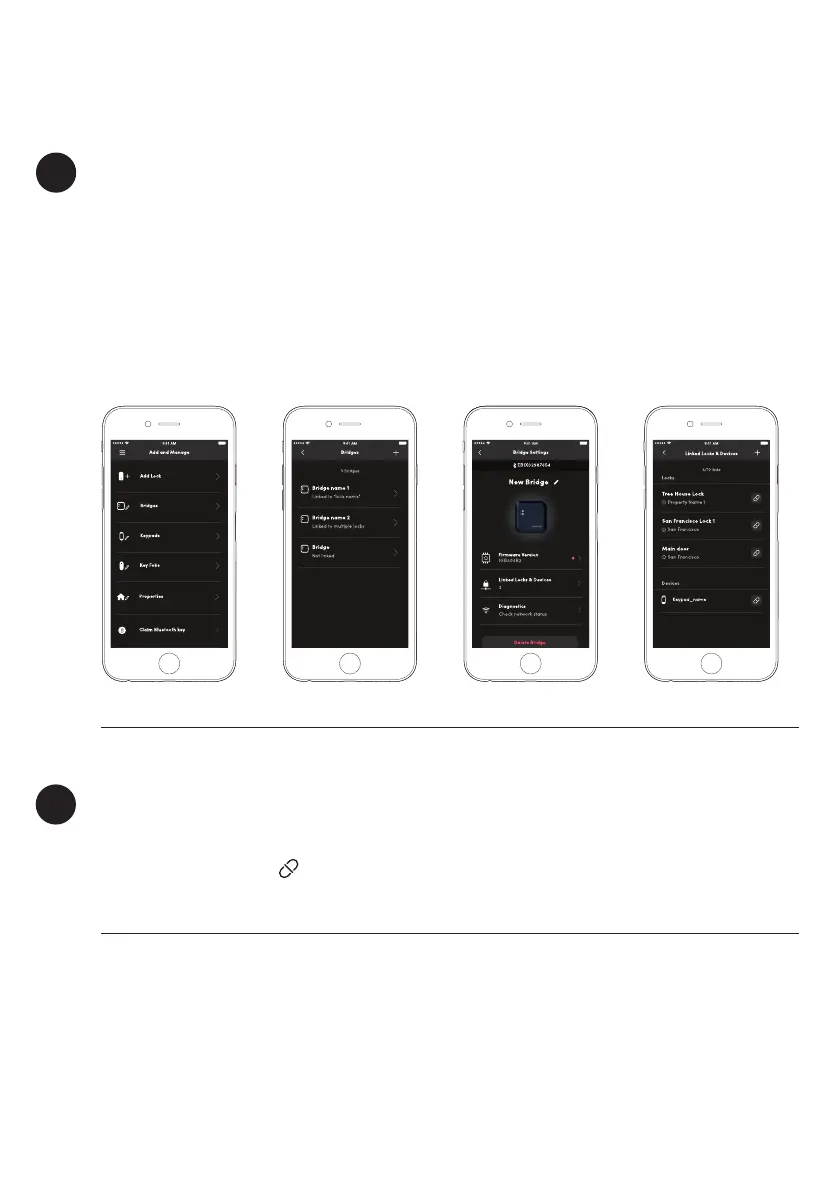
Link more Locks to your Bridge
1. Pair your lock to the igloohome app first
2. Select [Bridges] in the [Add and Manage] Menu
3. Select the Bridge you want to link to
4. Select [Linked Locks & Devices]
5. Select [+] icon on the top right hand corner
a
Unlink Locks from your Bridge
To Unlink locks, repeat steps 2 - 4 above. Select the Bridge you want to unlink the locks from
and select the unlink icon to the right of the lock.
b


 To Next Page