10
Managing Access in App
PIN codes can be generated on the app under [Access], tap on [+Access] and choose either
One-Time, Permanent, Recurring or Duration PIN codes.
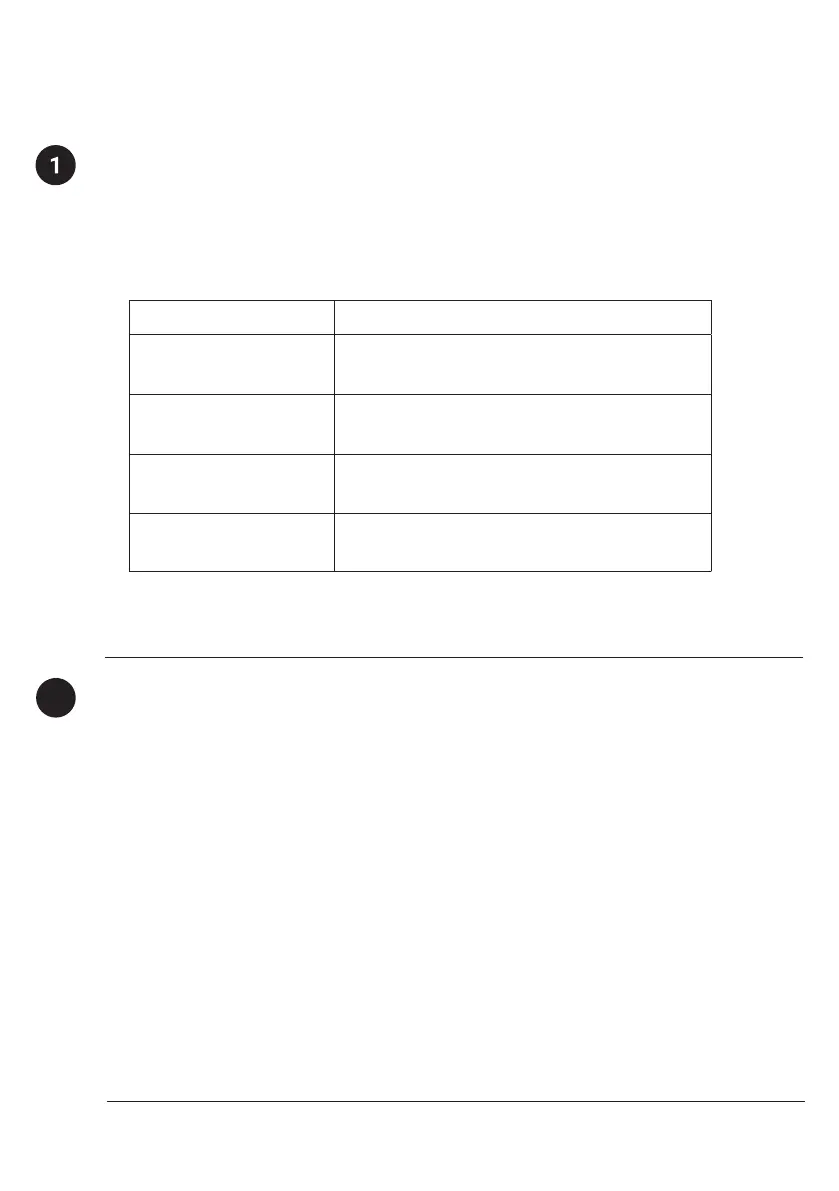
PIN codes will expire if its not use within its activation period. Refer to the table below.
Note: Duration PIN code end times can be customised within a 28-day timeframe.
Past this timeframe, the end time will automatically be configured to the start time.
Creating PIN Codes
2
Bluetooth Guest Key
Bluetooth Guest Key can be shared with other users for mobile access. It allows your guests
to unlock the igloohome smart lock via Bluetooth.
There are 3 steps to using a Bluetooth Guest Key
1. Under [Access], tap on [+Access] and choose [Bluetooth Key] under
[Access Type]. Proceed to share the key after it is created.
2. Guest receives the Bluetooth Key by one of these methods:
• Clicking the URL given and follow the instructions.
• Claiming Bluetooth Key under [Add and Manage].
3. Guest can now use the Bluetooth Key under the Guest Bluetooth Key Section
whenever he/she is within range of the lock.
Notes:
• The owner can revoke the Bluetooth Key in App.
• Bluetooth Key must be accepted within 1 hour generation before it expires.
PIN Type Use PIN within*
One-Time PIN 24 hrs of generation
Permanent PIN 24hrs of generation
Recurring PIN 24hrs from the start time
Duration PIN 24hrs from the start time


 To Next Page