2
1. Hardware
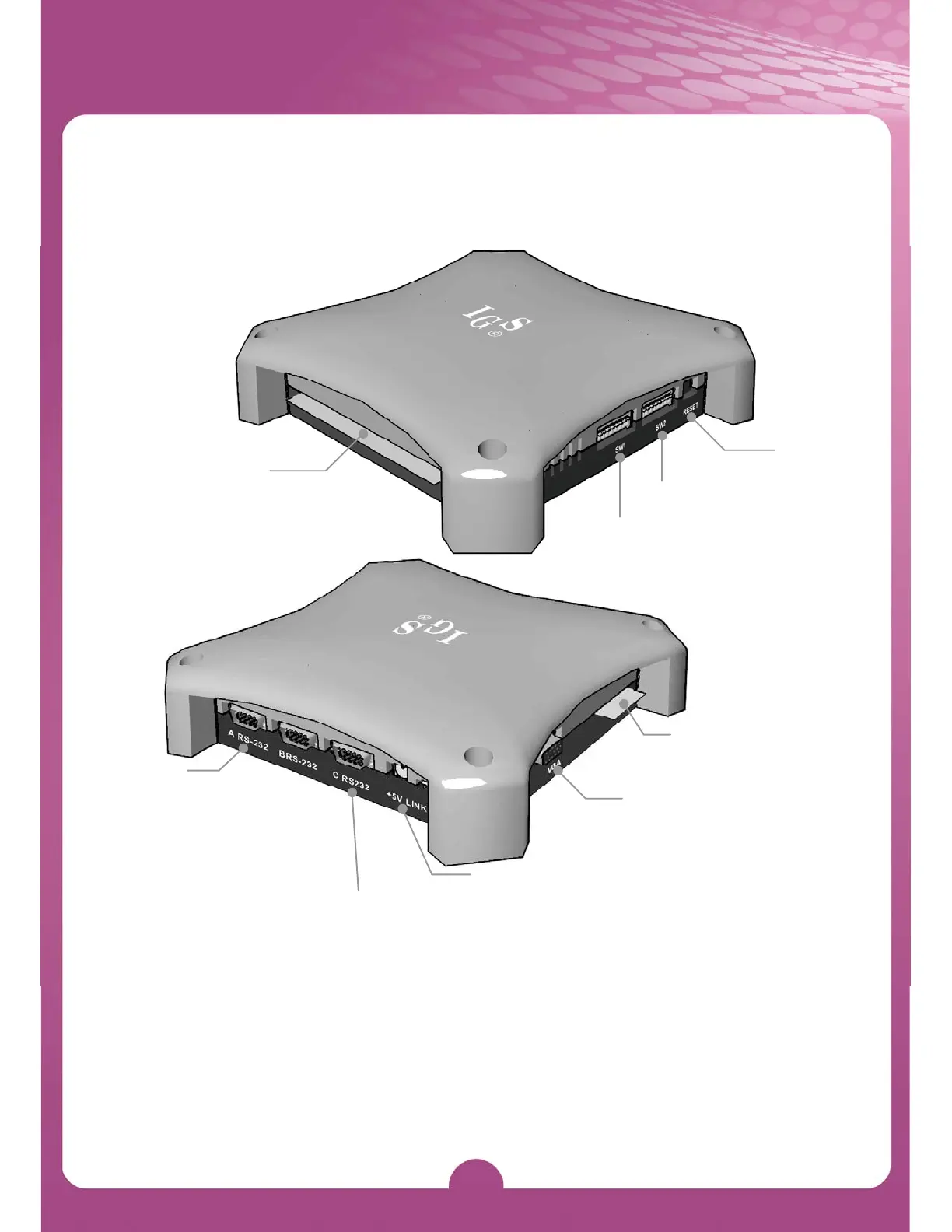
Hardware Connection
36-Pin Connecto
DIP SW1
DIP SW2
Reset
A RS-232
Connects to optional Citizen
printer / ticket dispenser.
*Use Belkin #F2L044 (serial
printer cable /null modem)
for Citizen printer.
C RS-232
Connects to Micro Touch
compatible touch screen
+5V
+5V Power output
VGA port
Connects to screen
10-Pin Connector
Remarks:
1. Printer only can be driven when connecting to the RS-232 port.
2. The interface board of ticket dispenser can be driven by connecting to the
7th pin on the Part Side of 10-pin connector.



 To Next Page