6
DIP Switch Settings
36 & 10 PIN Button Layout
2 Buttons
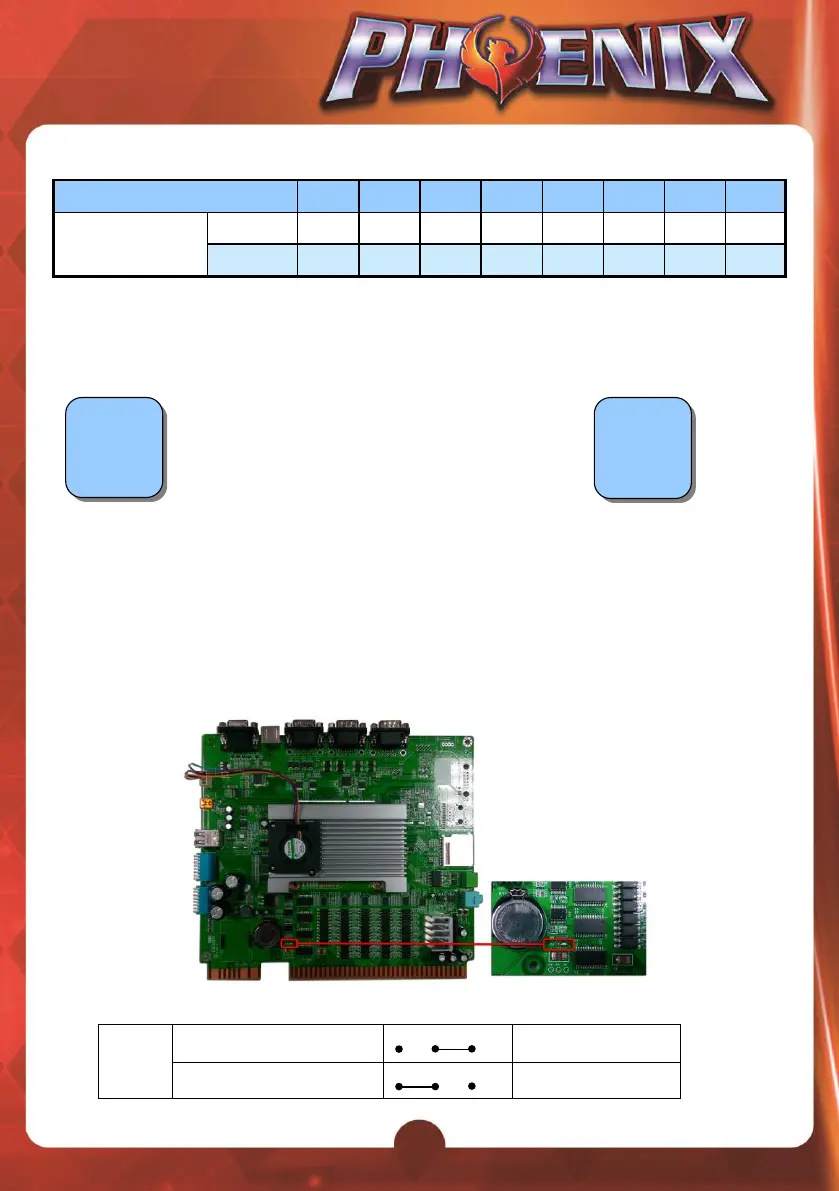
Solving Ticket SSR Error
After powering on the machine, if the ticket dispenser keeps working and can’t be
stopped, it could be that the Ticket SSR’s jump setting is incorrect.
How to solve:
1. Locate the Ticket SSR jump (JP5) on the PC board. Then identify current
TICKET SSR
is at
HIGH ACTIVE
or
LOW ACTIVE
.
2. Change to use the alternative JP5 setting.



 To Next Page