5
s
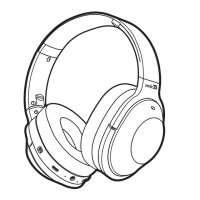
WIRELESS HEADPHONES - B • INCOGNITO
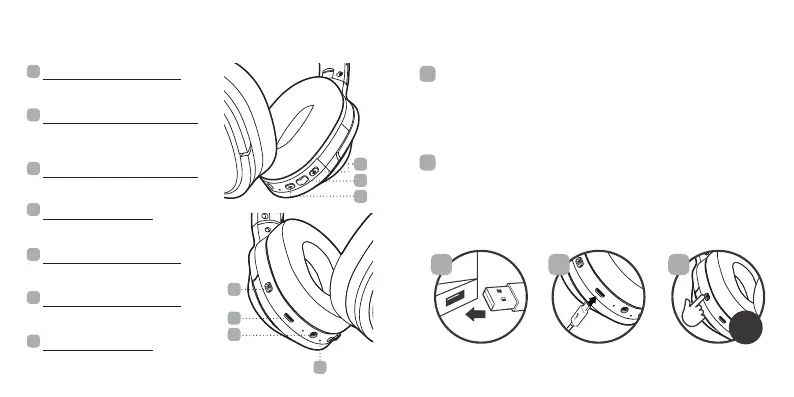
Power Buton
LED Indicator Light
This buton is for turning the
headphones on/o and pairing
Indicates if the headphones are
on/o, pairing, or charging.
D
F
G
G
D
E
2 Your Wireless Headphones
2.2 Control Panel Features
Micro USB Charging Pot
Line-In Input Jack
Volume (+) / Next Track
Multi-Function Buton
Volume (–) / Previous Track
This is the area to plug-in and
charge your headphones
This is the area to plug-in your
auxiliay cable
Skip to the next track.
Increase the volume.
This buton will do the following,
Pause & play music, Answer &
hand up calls, Reject calls, Redial.
Skip to the previous track.
Decrease the volume.
A
B
C
F
E
B
A
C
3 Quick Stat Guide
3.1 Charging & Powering ON
Connect the Micro USB cable (only use the provided cable) to
a computer USB pot or a USB wall charger. Plug the other
end of the micro USB cable into the Micro USB charging pot
(E) located on the botom of the right earcup. While charging
the LED indicator light (G) will turn RED and then turn OFF
when the batey is fully charged. (this can take approx 2-3hrs)
Ensure the headphones are turned o, then press and hold
the Power buton (B) for about 5 seconds to turn the
headphones ON. The headphones will enter Bluetooth
pairing mode automatically and emit a tone as the LED
indicator light (G) will lash BLUE and RED.
NOTE: please refer to the diagram on 2.2
1 21
1
2


 To Next Page