WIRELESS HEADPHONES - B • INCOGNITO
4 Bluetooth Functions
Answer & hang up calls
When there is an incoming call, press the Multi-Function buton
(B) once to answer the call, press the Multi-Function buton (B)
once again to hang up the call.
Reject calls
When there is an incoming call, press and hold the Multi-Function
buton (B) for 2-3 seconds to reject the call.
Redial last number
Double press the Multi-Function buton (B) to call the last number
in the list of call histoy.
Pause & play music
When playing music, press the Multi-Function buton (B) once to
pause music, press the buton once again to play music.
Next & last track
When playing music, press the Volume (+) / Next Track buton (A)
once to skip to the next track, press the Volume (–) / Previous Track
buton (C) once to skip to the previous track.
Volume up & down
When in a call or playing music, hold the Volume (+) / Next Track
buton (A) to increase the volume, hold the Volume (–) / Previous
Track buton (C) to decrease the volume.
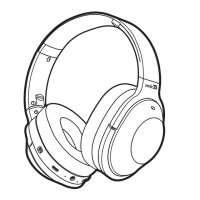
NOTE: please refer to the diagram on 2.2
1
2
3
4
5
6
5 All Features & Contents
ONEAR COMFORT
sot ear cushions for
long listening
FOLDABLE EARCUPS
UP TO HRS OF WORKING TIME
BUILTIN MIC
ENHANCED AUDIO
EXPLORE MORE
RECHARGEABLE BATTERY
pefect for on the go storage
advanced tech for extended
batey life & playtime
handsfree talking
upgraded acoustics
visit us at:
sonicbaudio.com
lithium ion
WORKS WITH MAJOR BRANDS
CONTENTS:
• Wireless Headphones
• Micro USB Cable
• Auxiliay Cable
• Quick Stat & Instruction Guide
+ OTHER BLUETOOTH DEVICES
MOBILE TABLETS COMPUTERS


 To Next Page