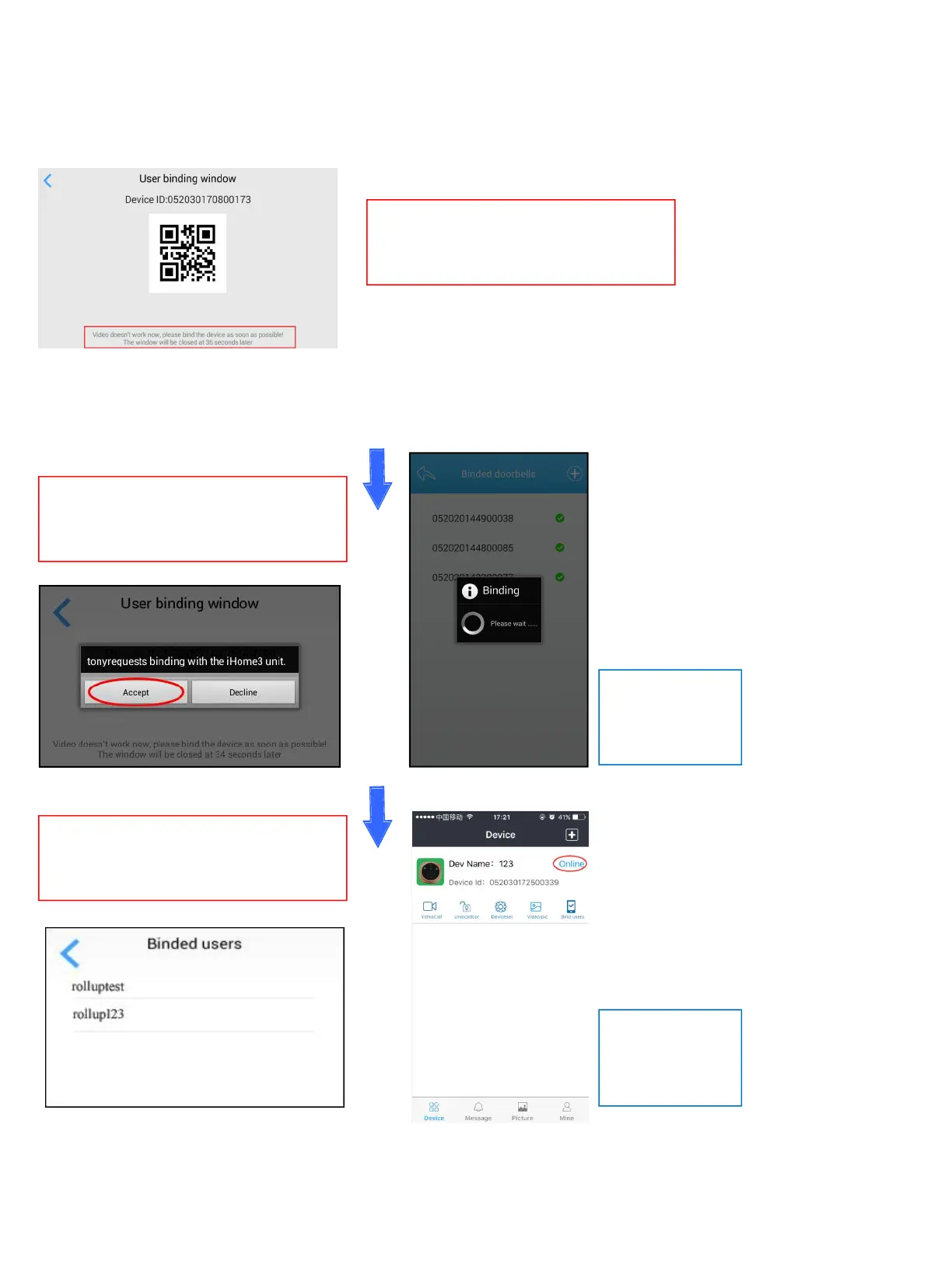
Step 4. Bind iHome5 device to Rollup App
Please note : User binding window—under this page, you could start binding the device on your smart phone. This page only
could last 40 seconds, once the time is not enough for binding, please re-enter this page before binding.
---------------------------------------------------------------------------------------------------------------------------
--------------------------------------------------------------------------------------------------------------------------
Device Before binding Rollup App with
iHome5 device, please keep iHome5
under User binding window.
Device Once the binding succeed, you
will find your user’s name in the Binded
users list.
Device User binding window will receive
a binding request, just click “Accept” to
answer the request.
Rollup App
will shows the
device online.
Rollup App
shows the
Binding process.


 To Next Page