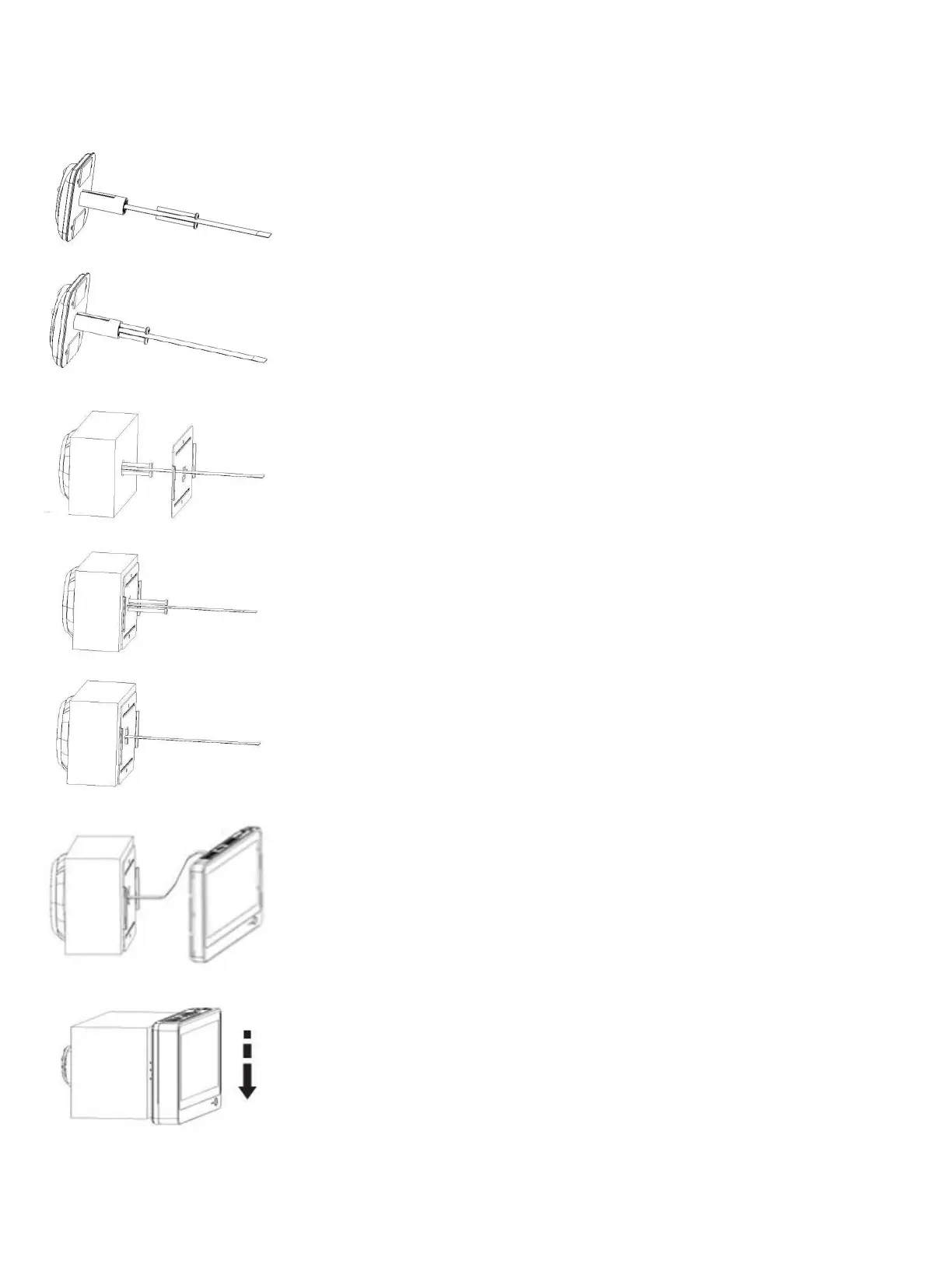
Door Panel Installation
Choose appropriate screw length based on door thickness. Then twist it into the screw
Feed the FPC cable through the rectangular hole. (Note: The slim rectangle
cut-out-section metal plate should be pointing to the right, with the largest
bare-metal-section of the plate on the left side of the peephole).
Move the steel sheet evenly towards the bolt.
Press the steel sheet against the door, and move evenly from right to left.
Tighten the screws to fasten the steel bracket. Ensure the outdoor viewer is
squared up/level before tightening the screws.
Connect the FPC cable to the indoor monitor.
Secure the indoor monitor to the doorplate by sliding it from the top downward.


 To Next Page