\SOFTWARE
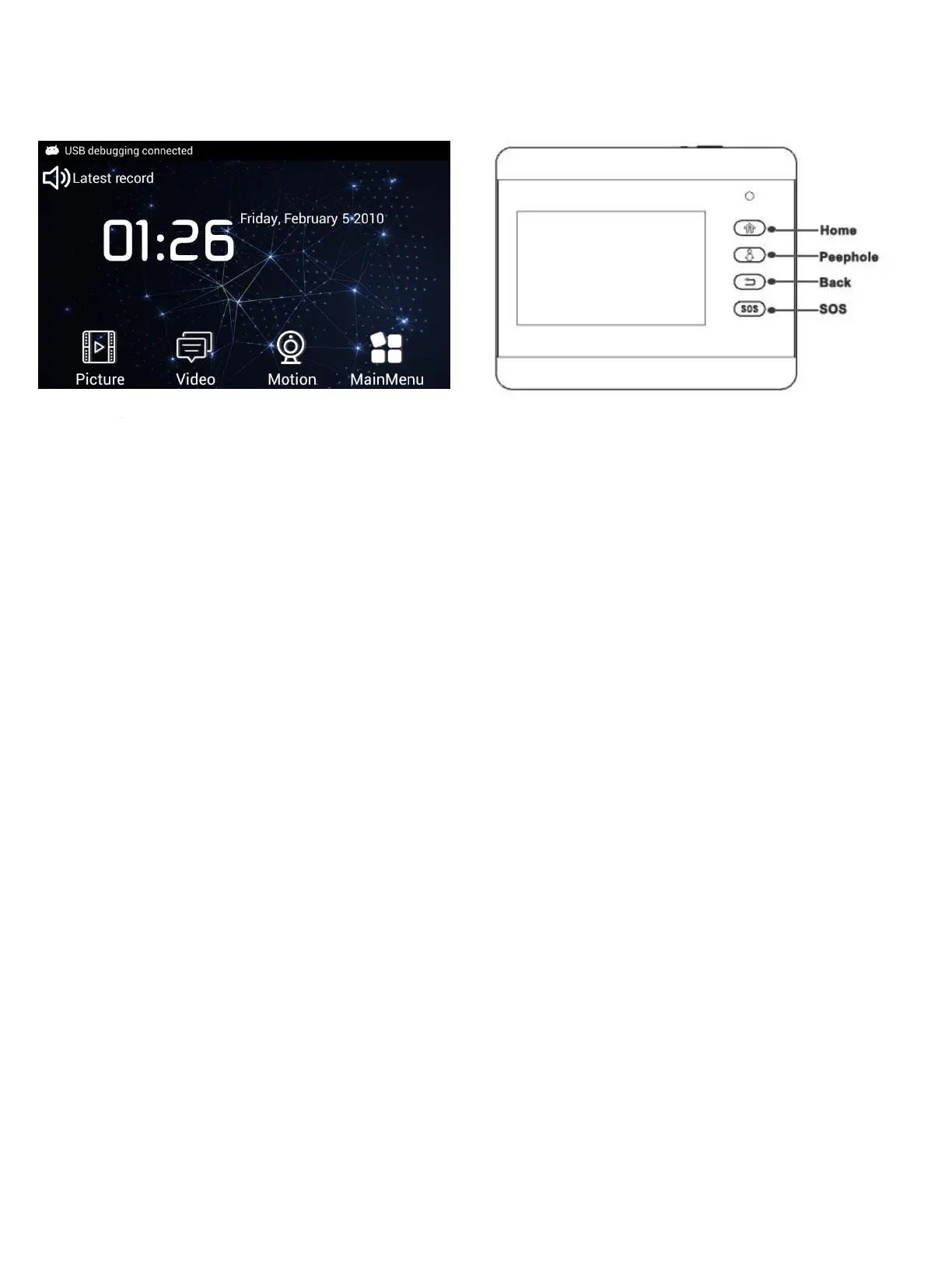
Picture
System will create new file to save Visitor Picture according to picture time stamp.
Press “Picture” icon, select target file to view, delete or sort.
Video
System will create new file to save Visitor video according to video time stamp.
Press “Video” icon, select target file to view, delete or sort. Select video file and press display to replay the video in
video player.
Motion
Press “Motion” icon to turn ON or OFF Monitor trigger.
Main Menu
Scroll left on second page to enter main menu interface.
Home
Press “Home” button to enter main menu interface.
Peephole
Press “peephole” button to connect camera to make real-time monitoring .
Back
Press “Back” to switch from the current menu to the previous menu.
SOS
Press “SOS” icon to call SOS number automatically.


 To Next Page