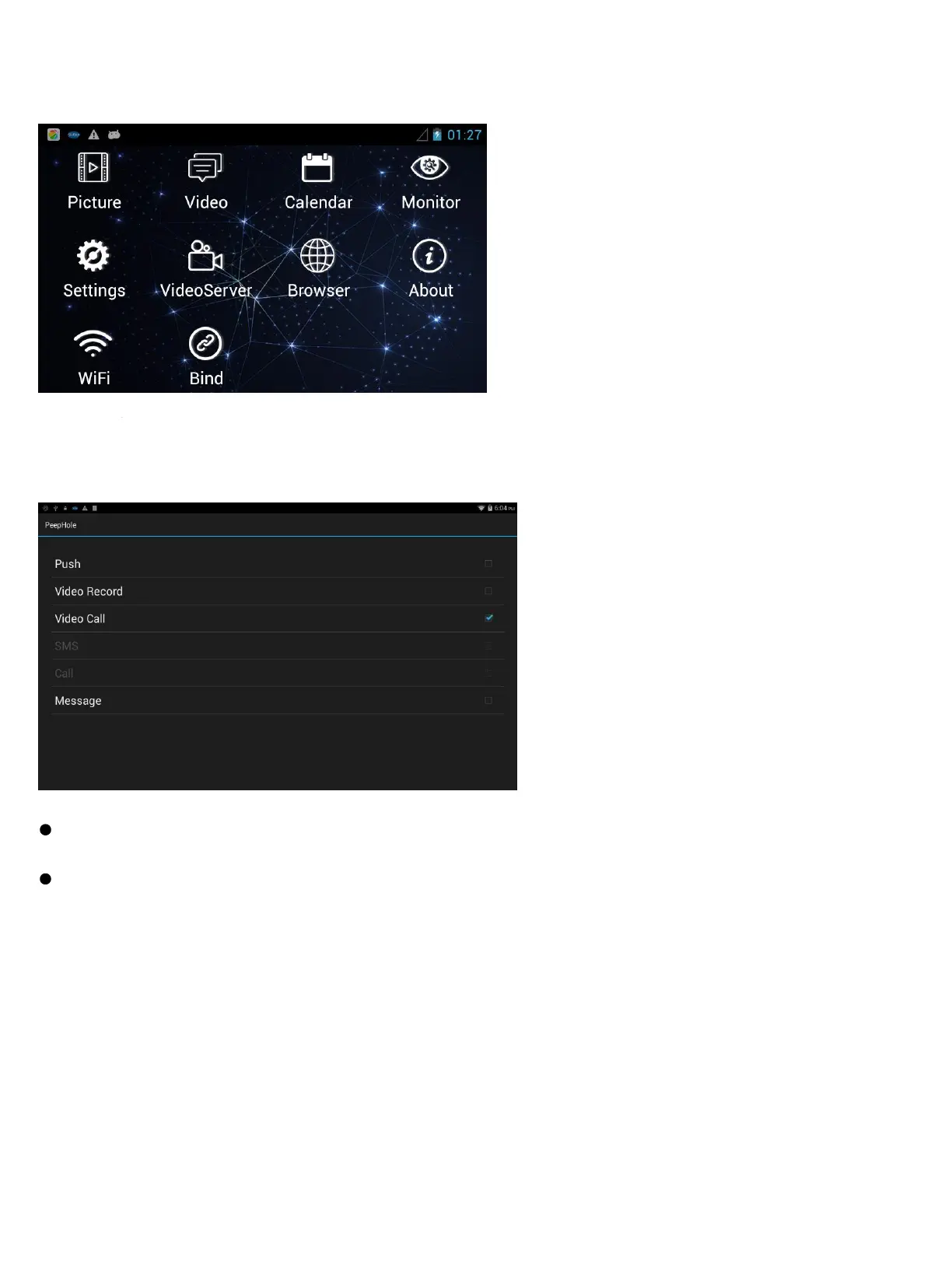
MAINMENU
Monitor
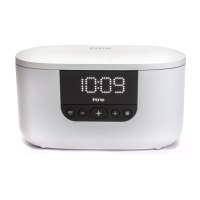
Doorbell→Doorbell Settings
Set actions after pressing doorbell.
Push: System will send notifications to early binding cell phone.
Video Record:Monitor can record the videos after doorbell is triggered. User can receive the latest records on
App
Video Call:Answer your door with a smart phone, just need to press the button to make the video call, and you
can see who is at your door
SMS: System will send SMS “Doorbell pressed warning from iHome” to preset cell phone number.
Call: System will make voice call to preset cell phone number. You must have a SIM card installed and setup for SMS/voice
call to work properly. Note: The SIM card must be purchased separately; it is not included in this product package.
Message: System will indicate the visitor may choose to leave a message and then record a video message.
Monitor
Set actions after detecting body motion.
Monitor→Turn ON/OFF Monitor
Monitor→Auto Alarm Time
Indoor monitor will alarm automatically when system detects body motion outside.
User can set alarm time at 5s, 10s, 20s, 40s, 1min.


 To Next Page