Part 2. App live Video Feed by Two Ways
iHome5 will send alerts(live video feed) under two situation, 1)when somebody press the ring button, 2)Under PIR motion
mode, auto alerts will be sent when somebody stay front of your door without pressing ring button.
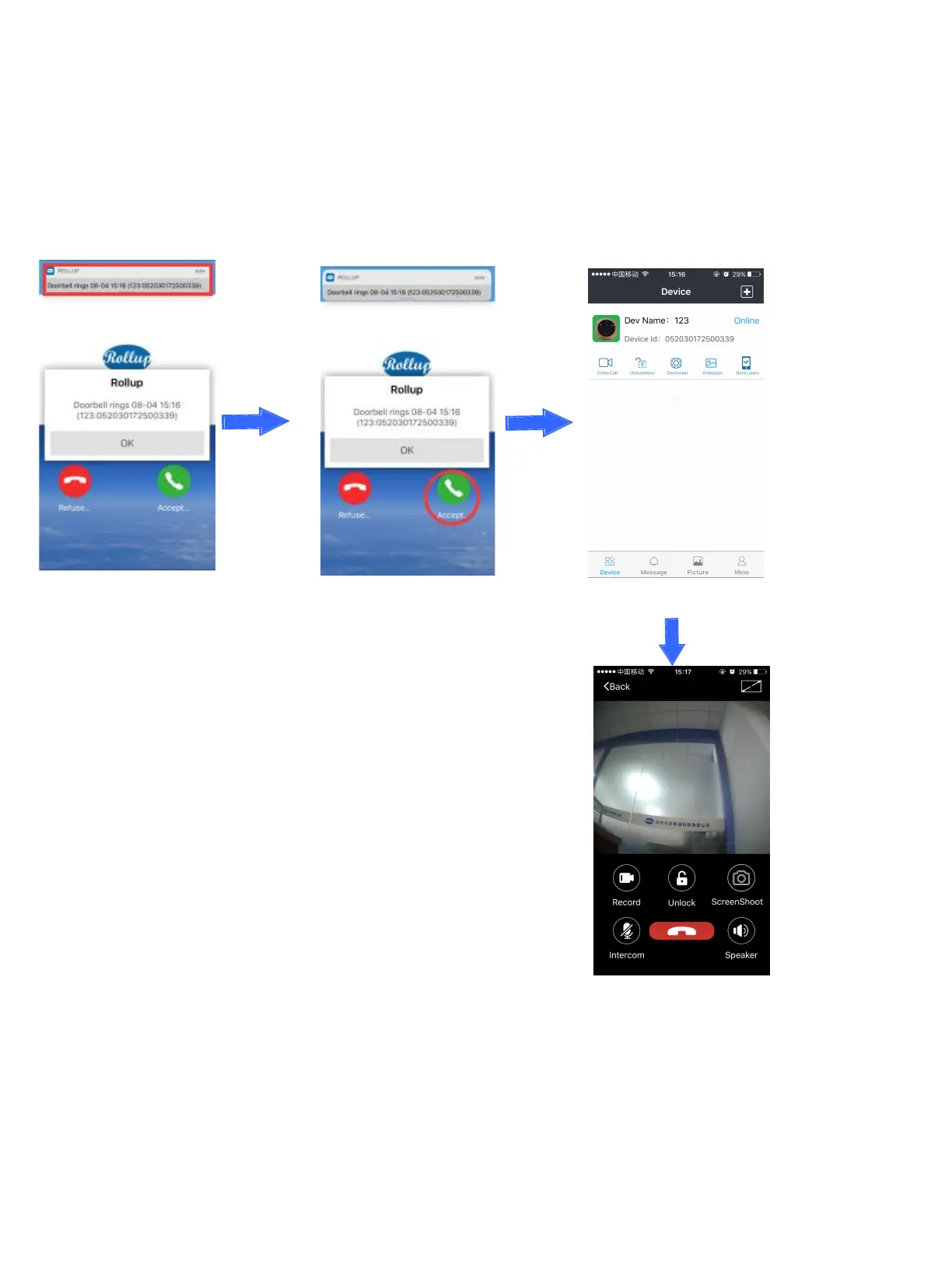
1) App live video feed by pressing the doorbell
Click the notification Accept to connect device Connect device
Video talk
Notes: When you are having video talk with door visitors, you could press the smart phone screen and click Start record to
record door visitors’ talk with you, and the video record will be stored in the smart phone SD card (there is a file name “DCIM
→
Camera” in your smart phone).
Rollup App will be updated continuously, and the new version will be noted to your smart phone.


 To Next Page