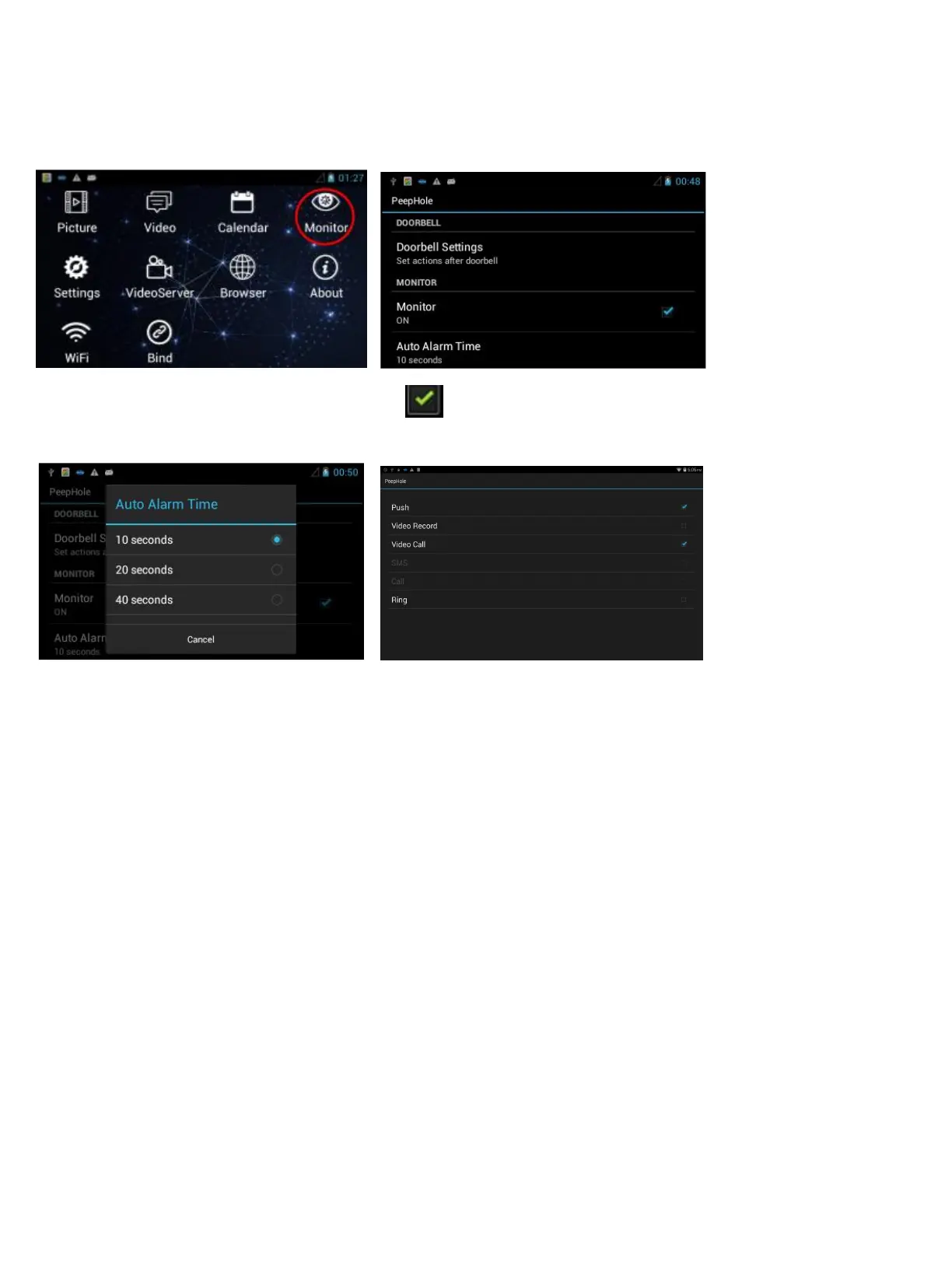
Tips: Set PIR motion on iHome5 device
Click Monitor Monitor to make PIR motion work
Auto Alarm Time Monitor settings
Auto Alarm Time: There are 5 sec, 10 sec, 20 sec, 40 sec and 1min as choice. When you set 40 sec, iHome5 will send you
alerts when somebody stay front of your door more than 40 sec without pressing your ring button.
Monitor settings: if you does not insert SIM card for iHome5, there are two choice for monitor settings, Push means iHome5
device need send you motion alarm alerts. As to Ring, if you click to choose it, the iHome5 device not only sent PIR motion
alerts, but also will generate sound alarm, ring, ring, ring… (You could also do monitor settings on smart phone by remote,
which please refer to part three).


 To Next Page