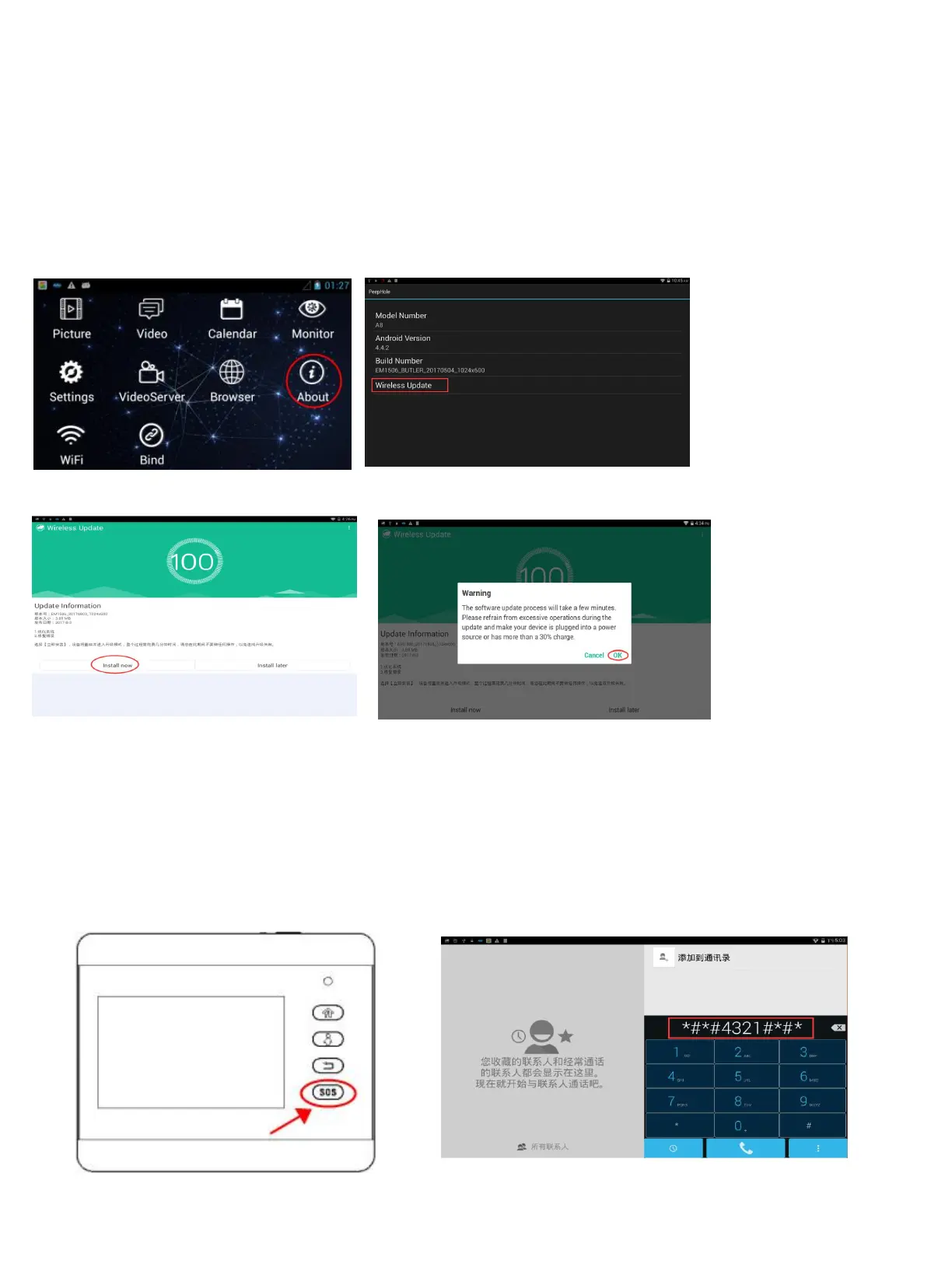
Part 4. Check new firmware version and how to update by wireless
1) Check new firmware
The firmware will be upgraded constantly, belows tell you how to check the new version and upgrade it.
Enter “about” Check new version
click “install now” click “ok “to update
Note: If the menu language displays in English after upgrading, you can switch it to other foreign languages in the
directory of “Settings
→
Language & input”.
But if the menu language displays in Chinese after upgrading, please firstly switch Chinese version to English
following the below steps.
Please Long press the “SOS” button to enter the below page, and input the code *#*#4321#*#* to English menu interface,
then re-start iHome5 unit again.


 To Previous Page