EasyManua.ls Logo

iHome IA100 - User Manual

iHome IA100
32 pages
Print Icon
To Next Page IconTo Next Page
Loading...
\
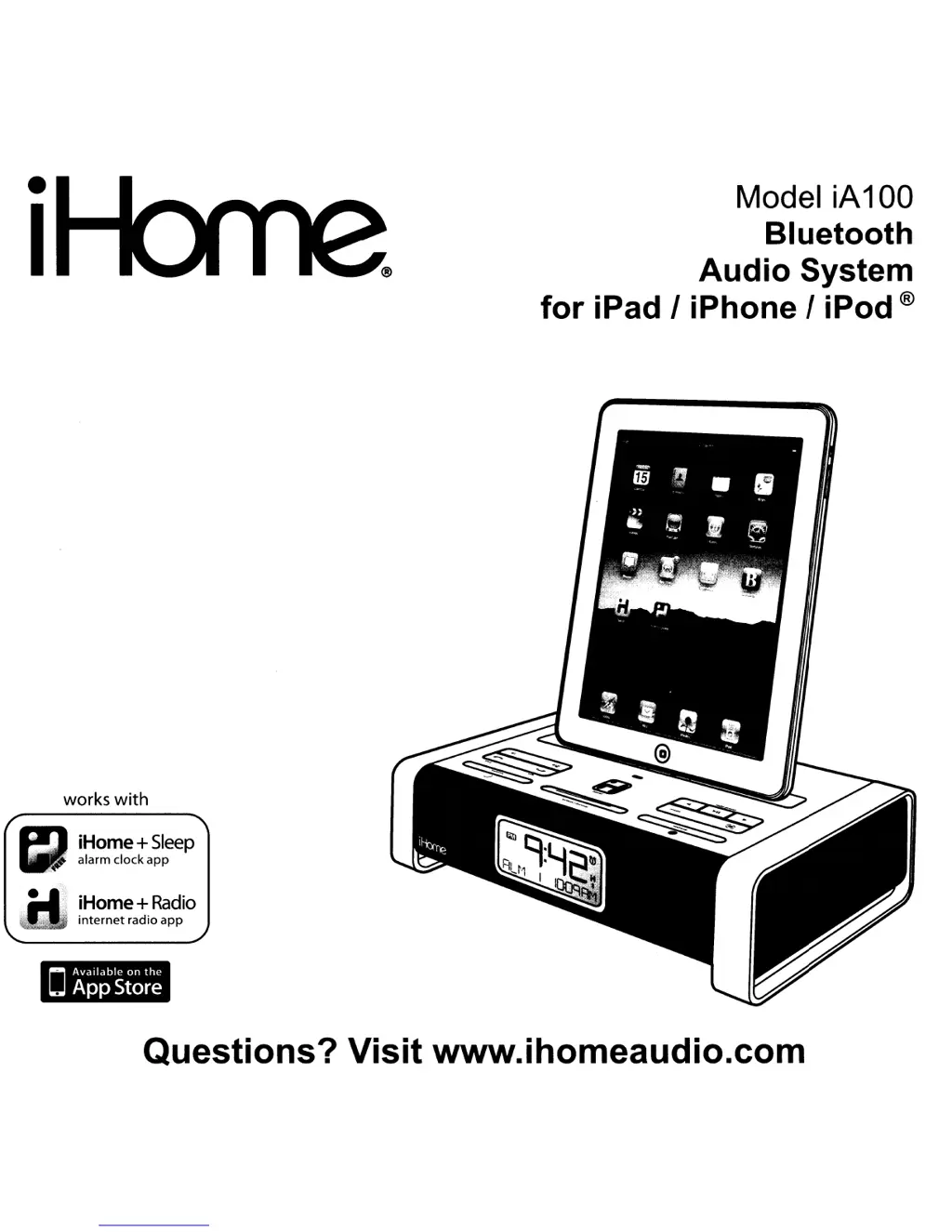
Mode\ \A10
0
B\uetooth
Aud\O
system
for ,Pad
I ,Phone
I
,Pod®
works with
~
iHom
e
+
S\eep
alarm clock apP
et
iHom
e
+
Radio
, , internet radio
app
.-
Questions? Visit
WWW-ihOmeaudiO.com

Other manuals for iHome IA100

Questions and Answers

  • L
    Lori WagnerSep 10, 2025
    Why do calls sound unclear on my iHome Stereo System?
    • C
      Christopher CooperSep 10, 2025
      If calls don't sound clear on your iHome Stereo System, raise the volume on the iA100. If the issue persists, retry the call after moving your phone for better reception or connection.
  • A
    andrew34Aug 22, 2025
    Why is the sound distorted on my iHome Clock Radio?
    • F
      Felicia ChaneyAug 22, 2025
      Sound distortion in your iHome Clock Radio can occur if the volume level is too high. Try decreasing the volume. Also, the sound source itself may be distorted. In that case, try setting the EQ to flat on your iPhone, iPod, or Bluetooth device.
  • K
    Katherine AyalaAug 25, 2025
    Why my Bluetooth headset won't pair with the iHome iA100?
    • K
      Kristi HarrisAug 25, 2025
      Headsets and other receivers will not pair with the iA100. Pair your headset directly with your phone or other transmitting device.
  • V
    Virginia SummersAug 26, 2025
    Why isn’t my Bluetooth device charging on my iHome Clock Radio?
    • W
      William ReynoldsAug 26, 2025
      The iHome Clock Radio (iA100) is designed to charge iPhone and docking iPod models only, not other devices. Ensure your device is plugged into a working charger.
  • L
    Laura CarpenterAug 27, 2025
    What to do if my iHome Clock Radio doesn't respond or has no power?
    • A
      Anthony BeasleyAug 27, 2025
      If your iHome Clock Radio isn't responding, there are a few things to check: 1. Ensure the AC adapter is properly plugged into both a functioning wall outlet and the power supply jack on the back of the unit. 2. If the outlet is controlled by a switch, make sure the switch is turned ON. 3. Press the Power button on the iA100.
  • T
    thomas15Aug 29, 2025
    What to do if I can't hear the caller's voice on my iHome Clock Radio?
    • B
      Barbara LoweAug 29, 2025
      If you can't hear the caller's voice on your iHome Clock Radio, first, ensure that your Bluetooth device is within range of the iA100. Move your cell phone closer to the iA100. Also, check the volume level on the iA100 and raise it if it's too low.
  • D
    danieljacksonSep 18, 2025
    What does the dialing out error message mean on my iHome IA100 Stereo System?
    • I
      Ian StewartSep 18, 2025
      Check your cell phone owner’s manual or website to see if your phone supports dialing out while listening to Bluetooth music. If it does not, turn off music before attempting to dial.
  • M
    Michelle SuarezSep 12, 2025
    How to fix if I can't play Bluetooth music from my cellphone on my iHome Stereo System?
    • C
      Cindy RamosSep 12, 2025
      If you can't play Bluetooth music from your cellphone or other Bluetooth devices on the iHome iA100 Stereo System, it might be due to the device not supporting the A2DP and AVRCP Bluetooth profiles. While you need these profiles to stream music, you can still use the handsfree speaker phone functionality. Also, ensure your device and the iA100 are paired and linked. The iA100 defaults to the last linked device, so a new device may need to be linked from the device itself (see your device’s user guide).
  • S
    Sarah MccarthySep 8, 2025
    Why can't others hear my voice clearly on the iHome Stereo System?
    • M
      Mark KingSep 8, 2025
      If others can't hear your voice clearly when using the iHome Stereo System, move closer to the iA100, as the microphone is near the Snooze Button. Also, check if the microphone is muted and, if so, press the Mute button to release it.
  • M
    michelledanielsSep 5, 2025
    Why can't I hear the caller's voice on my iHome IA100 Stereo System?
    • A
      Ashley MorenoSep 5, 2025
      If you can't hear the caller's voice on your iHome Stereo System, move your cell phone closer to the iA100. Additionally, raise the volume on the iA100.

Summary

Product Maintenance

FCC and IC Compliance

Getting Started with Your iA100

Companion iHome App Information

Details on iHome+Sleep and iHome+Radio companion mobile applications.

iA100 Quick Start Guide

Powering the iA100 Unit

Connecting the AC adaptor and powering the iA100.

Pairing Your Bluetooth Device

Connecting your phone or device via Bluetooth.

Bluetooth Call Handling

Using the iA100 for Bluetooth phone calls.

Clock Time Synchronization

Synchronizing the clock with a docked device.

Mode Selection and Radio Tuning

Switching audio modes and tuning FM radio.

Alarm Setting Procedures

Configuring alarm times and sources.

Docking Your iPad;iPhone;iPod

Inserting and connecting your iPad/iPhone/iPod.

Updating iA100 Firmware

How to update the unit's firmware.

Controls and Indicators Overview

Top Panel Controls

Identification of controls on the top panel.

Rear Panel Controls

Identification of controls on the rear panel.

iA100 Display Icons

Explanation of the device's display icons and indicators.

Using the iA100 System

Connecting the iA100 to Power

How to connect the iA100 to the AC power source.

Turning the iA100 On and Off

Powering the iA100 on and off.

Synchronizing the Clock

Syncing the clock with a docked device.

Manual Clock and Calendar Setup

Manually setting the clock and calendar.

Alarm Functionality

Setting and Customizing Alarms

Detailed steps for setting alarm times, sources, and frequency.

Managing Active Alarms

How to check and disable active alarms.

Snooze and Sure Alarm Features

Using snooze and the sure alarm backup function.

Listening to Audio Sources

Playing Audio from Apple Devices

Docking and playing audio from iPad/iPhone/iPod.

Radio Operation and Presets

Setting up the antenna and tuning FM radio.

Audio and Bluetooth Connectivity

Connecting External Audio Devices (Aux-In)

Using the Aux-in jack for non-Bluetooth devices.

Bluetooth Music Playback and Pairing

Pairing and streaming music via Bluetooth.

Communication and Sleep Modes

Bluetooth Call Management

Using the iA100 as a speakerphone for calls.

Sleep Mode Operation

Setting the sleep timer for gradual volume decrease.

Nap Mode Operation

Setting a separate alarm for naps.

Device Settings and Maintenance

LCD Dimmer Adjustment

Adjusting the LCD display brightness.

Replacing Clock Backup Batteries

Instructions for changing clock backup batteries.

Battery Safety Precautions

Important precautions for battery use and disposal.

Important Product Safety Instructions

Troubleshooting Common Issues

Warranty and Service Information

Warranty Disclaimer Details

Scope and limitations of the product warranty.

iHome IA100 Specifications

General IconGeneral
Radio typeClock
Supported radio bandsFM
Preset stations quantity10
Connectivity technologyWired & Wireless
Product colorBlack, Silver

Related product manuals